
This article outlines suggestions and examples of using the AI block so that you can make the most out of the AI Blocks and ensure that the test data generated is appropriate for your automation needs.
Writing effective prompts
Writing effective prompts is key to getting the most out of any AI system. Whether you're working with an AI to generate data, answer questions, or automate processes, your prompt should be clear, focused, and well-structured. Following these best practices will help you achieve accurate and relevant results:
-
Be Clear and Specific: A specific prompt improves the AI's understanding of the task.
-
Poor Prompt: "Generate a name."
-
Good Prompt: "Generate a common Spanish male name."
-
-
Provide Context When Necessary: Including context tailors the output to your requirements.
-
Poor Prompt: "Generate a phone number."
-
Good Prompt: "Generate a phone number for a user in California with a valid area code."
-
-
Use Simple and Direct Language: Avoid unnecessary complexity to minimize confusion.
-
Poor Prompt: "Could you kindly generate a fictitious email address for testing purposes?"
-
Good Prompt: "Generate a random email address."
-
-
Avoid Ambiguity: Providing precise instructions reduces the likelihood of unexpected outputs, particularly when specifying formats or ranges.
-
Poor Prompt: "Generate a date."
-
Good Prompt: "Generate a birthdate between 1990 and 2000 in the format DD/MM/YYYY"
-
-
Break Complex Requests Into Smaller Parts: Simplifying tasks improves accuracy. Avoid combining distinct tasks into one prompt. Instead, break them into sequential requests for better accuracy
-
Poor Prompt: "Generate a set of user profiles with name, email, and phone number, then link each profile to a country of origin based on the phone number."
-
Good Prompt: "Generate a random first name as the first step."
-
Overview of the AI Blocks
AI Blocks in Leapwork integrate advanced AI capabilities into testing workflows, automating tasks, improving efficiency, and enabling quick adaptation to changing needs.
The available blocks, AI Extract, Generate, Transform, and Validate, support diverse use cases, from creating test data to validating and transforming it. To activate these blocks, follow the steps in the Customer Portal.
|
Key Features: |
Potential Use Cases: |
|
|
|
|
|
|
|
|
Guidelines for Using the AI Generate Block
Please do note, while adding fields in the block, their label must match the values we are requesting in the prompt, otherwise the execution might not be successful or as desired.
What You Can Do
-
Generate simple test data such as names, emails, or addresses.
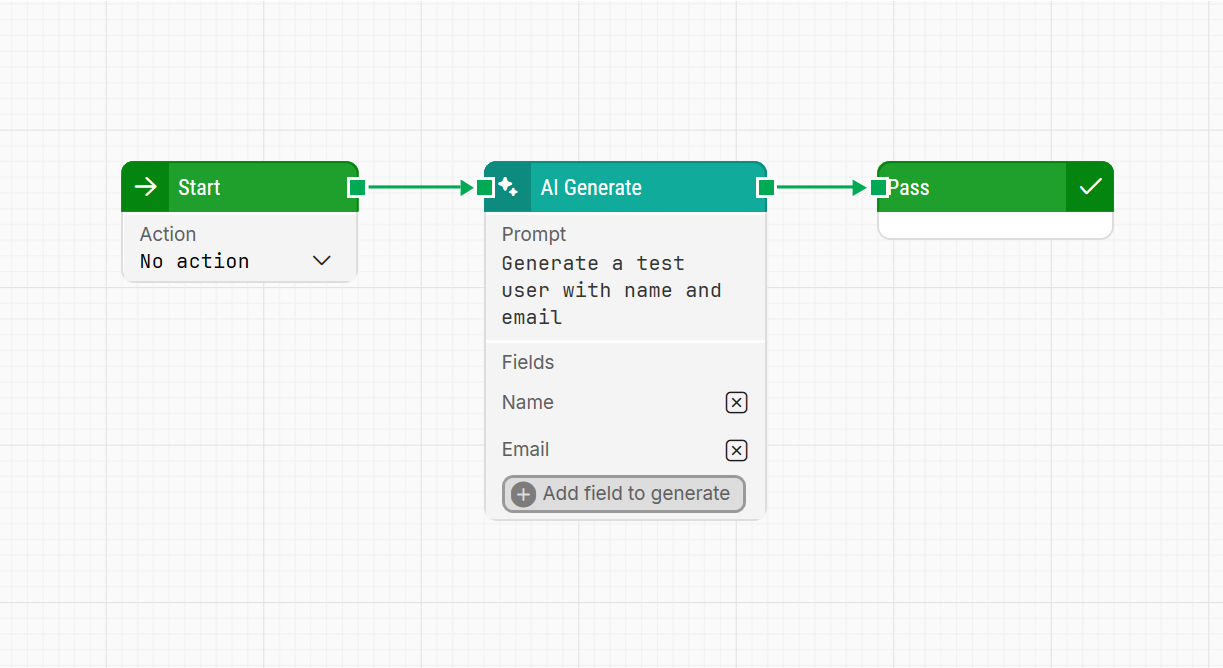
Example: “Generate a test user with name and email.”
Output: “Generated Name: John Doe, Email: johndoe123@example.com (AI took 1,5 seconds)“
-
Use automation-friendly requests like phone numbers or product data.
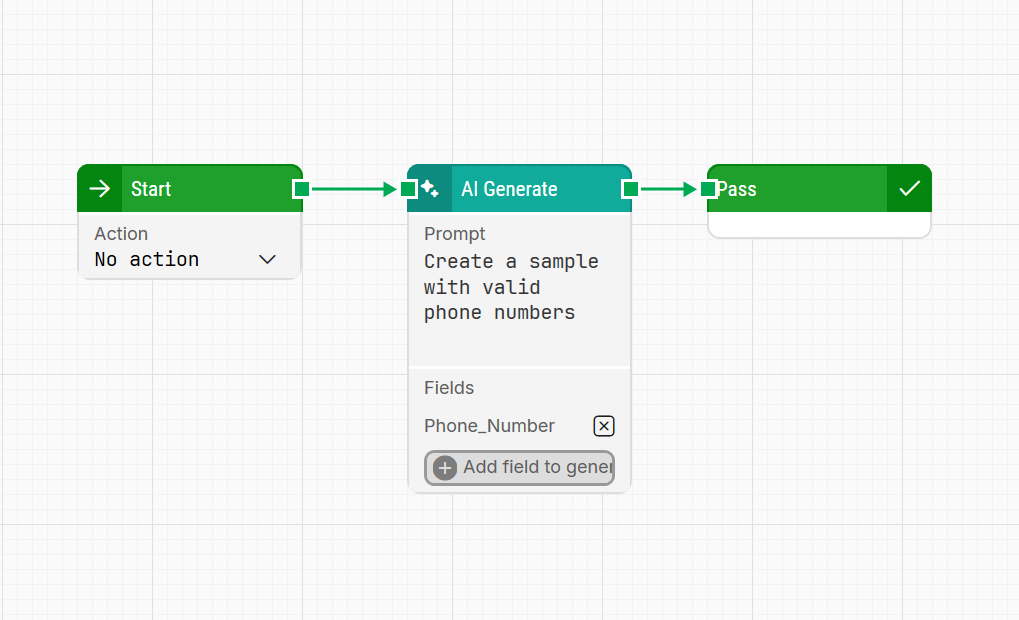
Example: “Create a sample with valid phone numbers.”
Output: “Generated Phone_Number: +1-202-555-0173 (AI took 1,4 seconds) “
-
Create data for testing e-commerce, forms, or validation workflows.
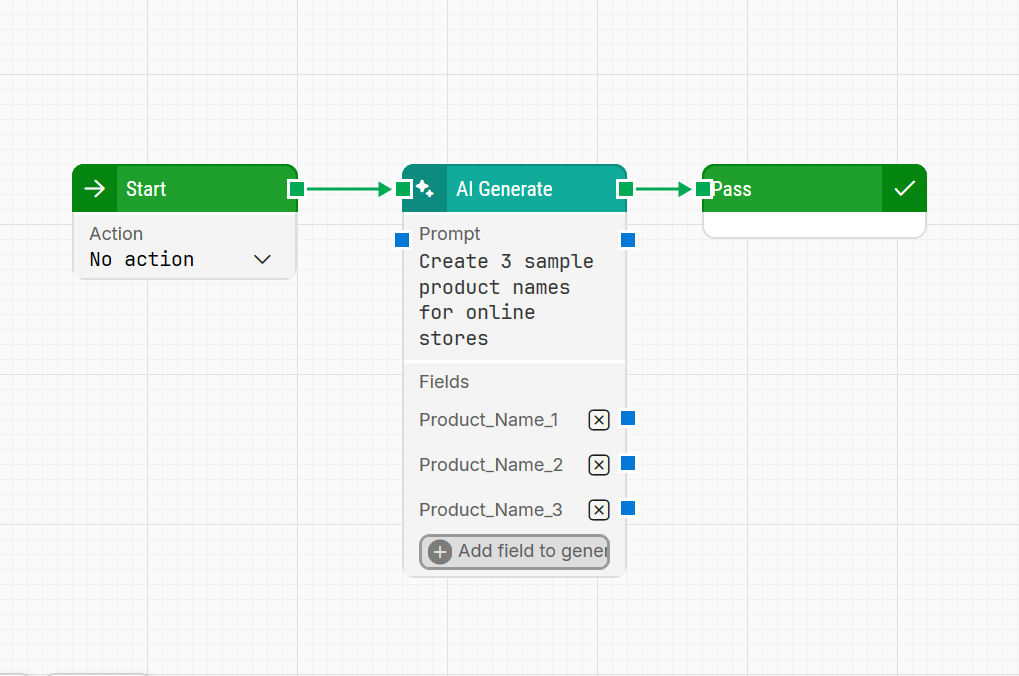
Example: “Generate 3 sample product names for an online store.”
Output: “Generated Product_Name1: EcoSmart Water Bottle, Product_Name2: UltraSoft Bamboo Sheets, Product_Name3: SmartHome LED Bulb (AI took 4 seconds) “
-
Create data for filling online form with 10 Indian male names.
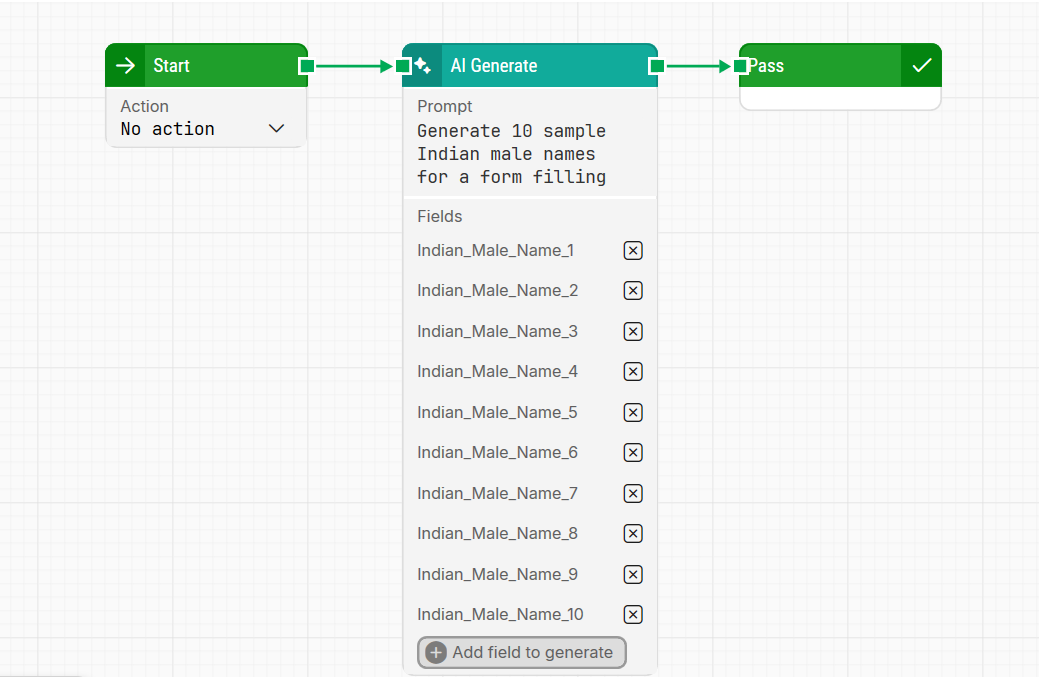
Example: "Generate 10 sample Indian male names for a form filling"
Output: "Generated Indian_Male_Name_1: Aarav Kumar, Indian_Male_Name_2: Vihaan Mehta, Indian_Male_Name_3: Sai Reddy, Indian_Male_Name_4: Arjun Patel, Indian_Male_Name_5: Rajesh Sharma, Indian_Male_Name_6: Karan Verma, Indian_Male_Name_7: Aayush Joshi, Indian_Male_Name_8: Rohan Gupta, Indian_Male_Name_9: Vikram Singh, Indian_Male_Name_10: Rakesh Rao (AI took 9.1 seconds)"
What You Should Avoid
-
Don’t request creative content, like stories or narratives.
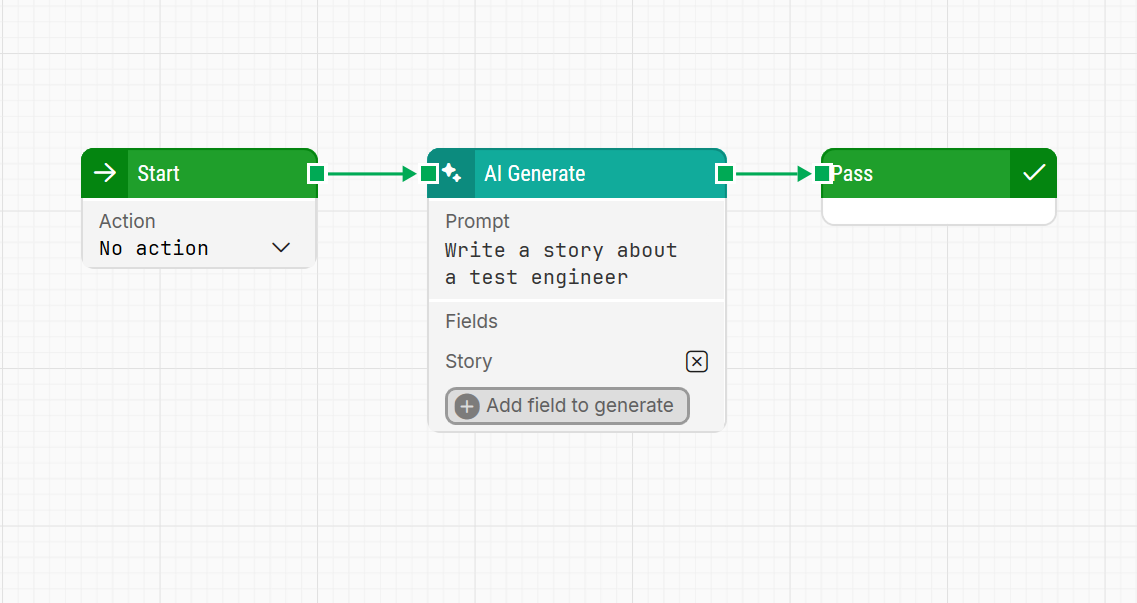
Example: “Write a story about a test engineer.”
Output: “The request is asking for a story, which falls outside the specified use cases for generating structured data for testing purposes. The request does not imply a need for structured data output suitable for test automation.”
-
Avoid asking for sensitive information, such as passwords or credit card numbers.
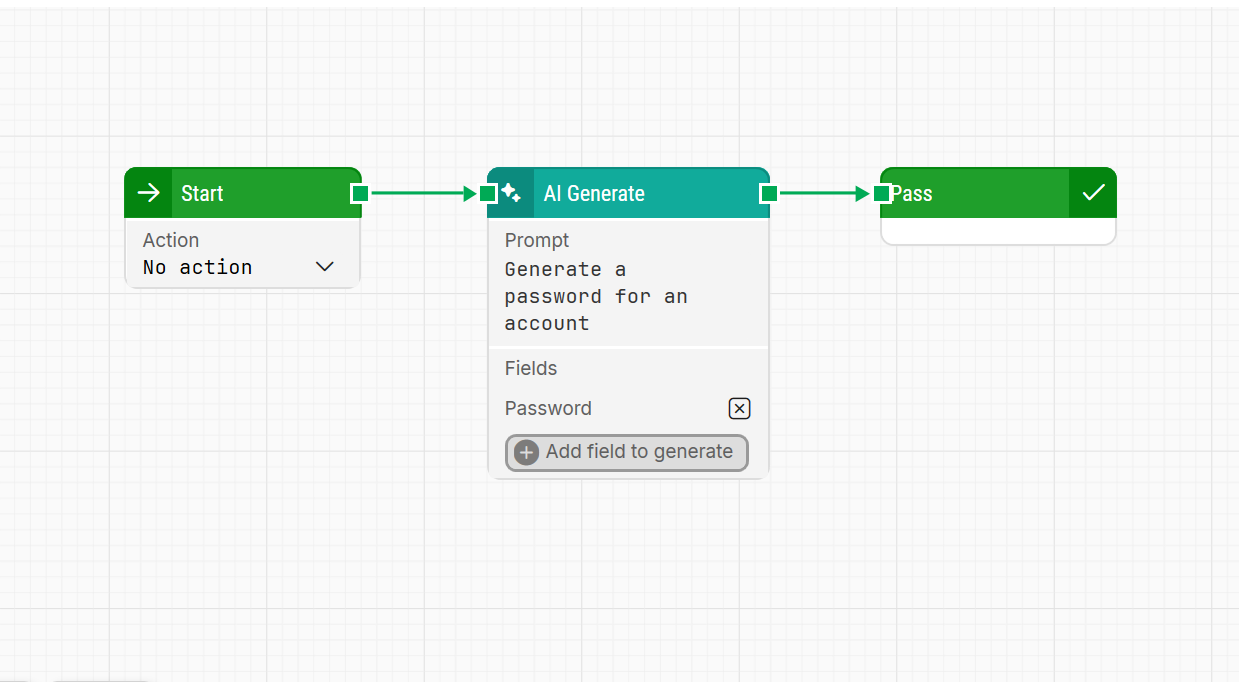
Example: “Generate a password for an account.”
Output: “The request does not imply a need for structured data generation for testing purposes as it asks for a single password generation, which does not specify multiple or single data fields or detailed specifications for structured data output.
-
Don’t expect real-time data, like the current time or date.
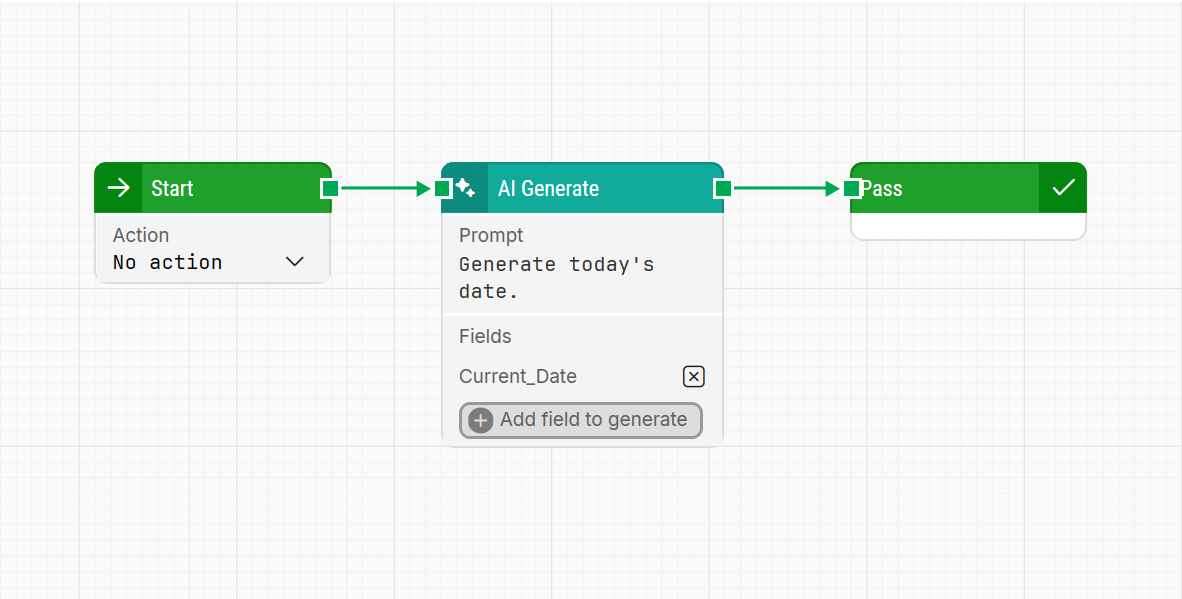
Example: “Generate today’s date.”
Output: “The request does not imply a need for structured data generation for testing purposes as it asks for a specific date rather than random structured data fields.”
Guidelines for Using the AI Validate Block
What You Can Do
-
Validate the purpose and type of information.
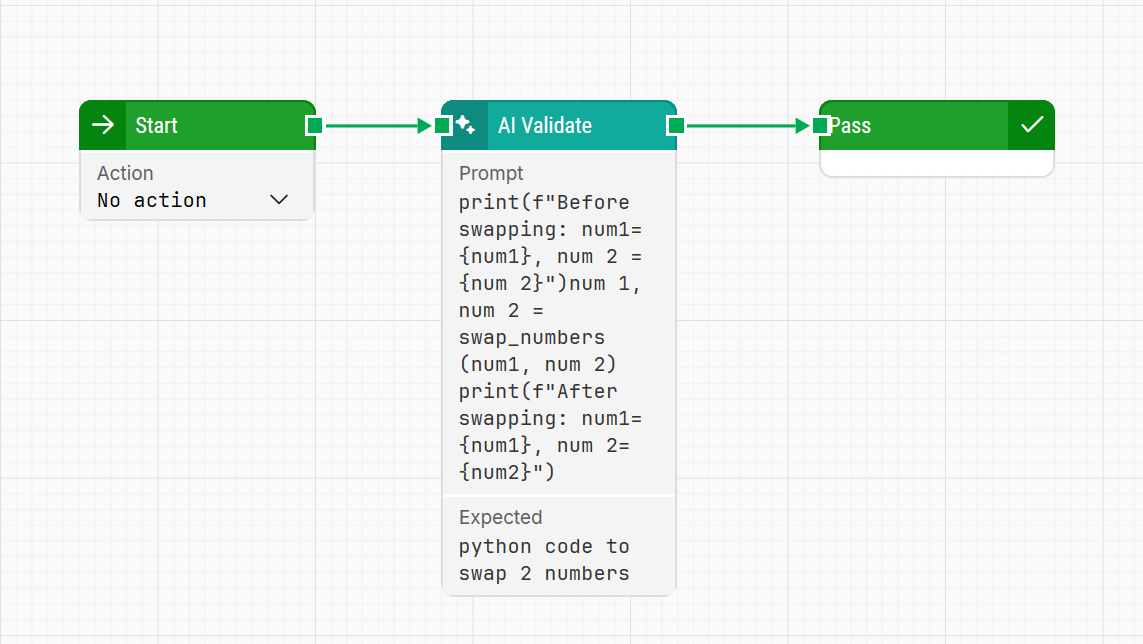
Input:
def swap_numbers(a, b):
    return b, a
# Example usage
num1 = 5
num2 = 10
print(f"Before swapping: num1 = {num1}, num2 = {num2}")
num1, num2 = swap_numbers(num1, num2)
print(f"After swapping: num1 = {num1}, num2 = {num2}")
Expected: “Python code to swap 2 numbers “
Output: “The input matched the expected value (AI took 1.5 seconds) “
-
Validate type of information or structured data.
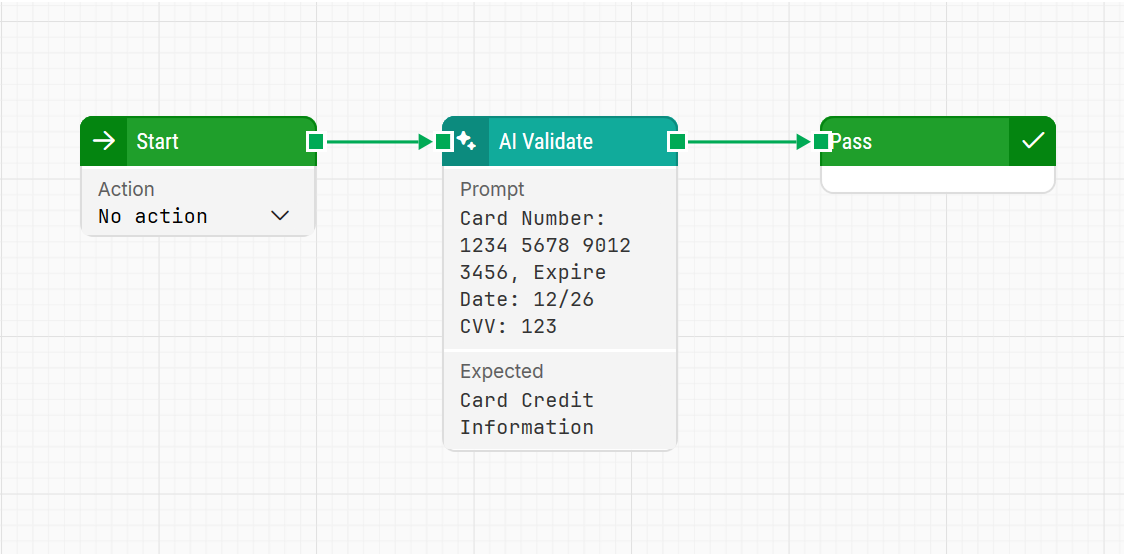
Input: “Card Number: 1234 5678 9012 3456, Expire Date: 12/26, CVV: 123”
Expected: “credit card information“
Output: “The input matched the expected value (AI took 1.7 seconds)“
-
Check equivalence of two strings with similar purposes.
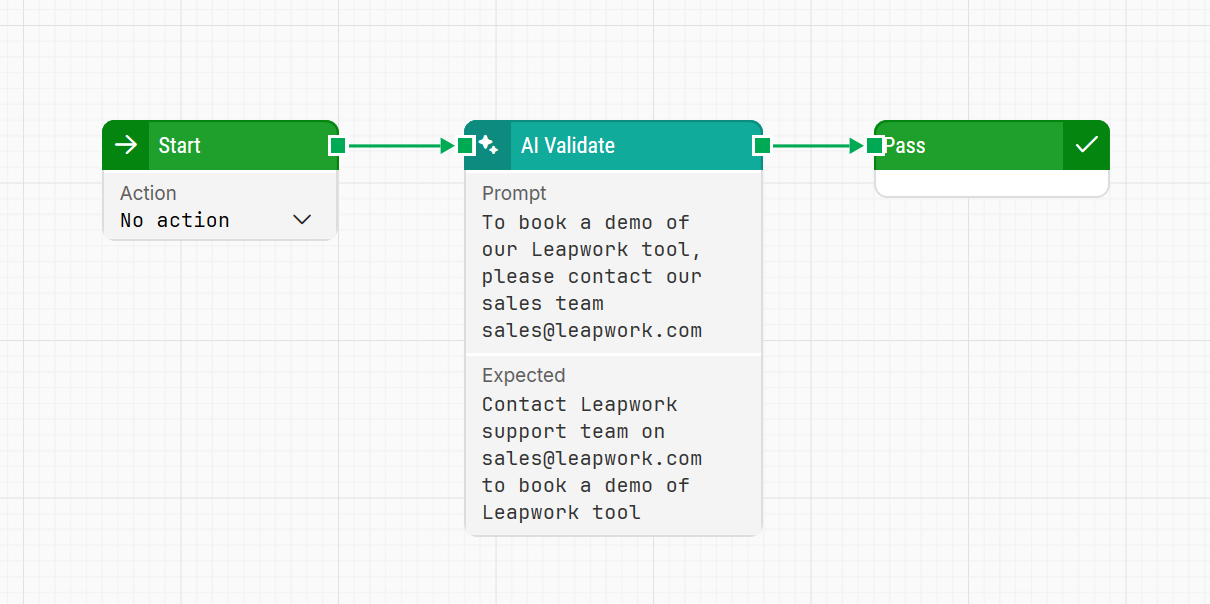
Input: “To book a demo of our leapwork tool please contact our sales team sales@leapwork.com”
Expected: “Contact leapwork support team on sales@leapwork.com to book a demo of the leapwork tool“
Output: “The input matched the expected value (AI took 1.3 seconds) “
What You Should Avoid
-
Don’t validate empty fields or spaces.
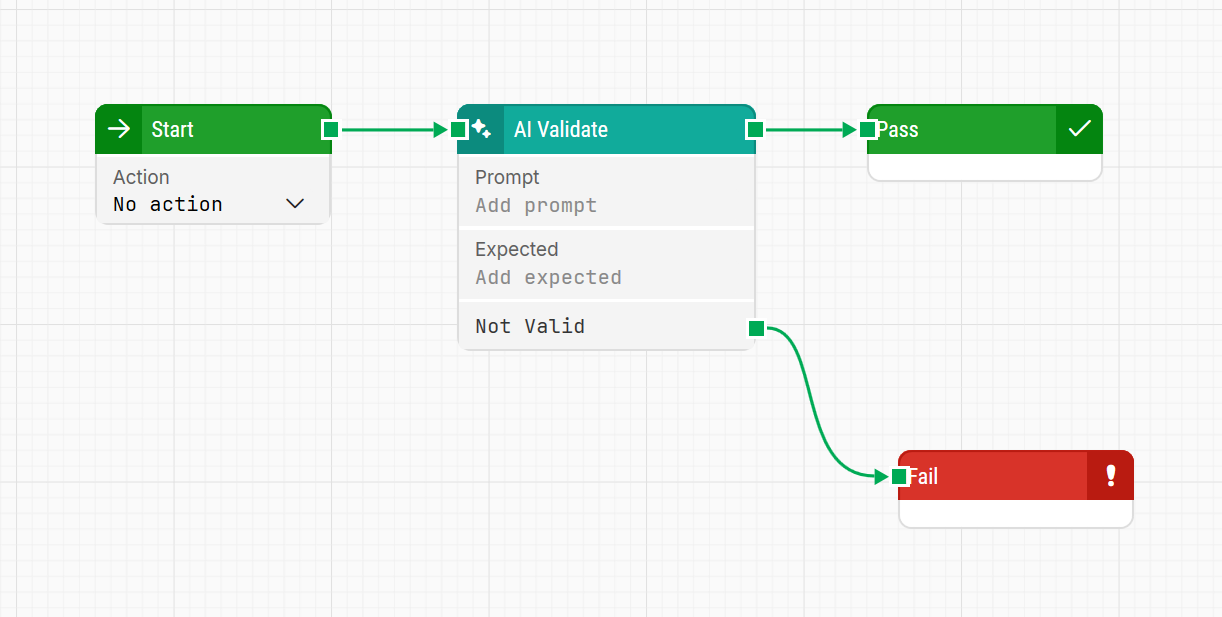
Input: (blank)
Expected: (blank)
Output: “The Actual field is required., The Expected field is required. “
-
Avoid ambiguous or overly generalized benchmarks.
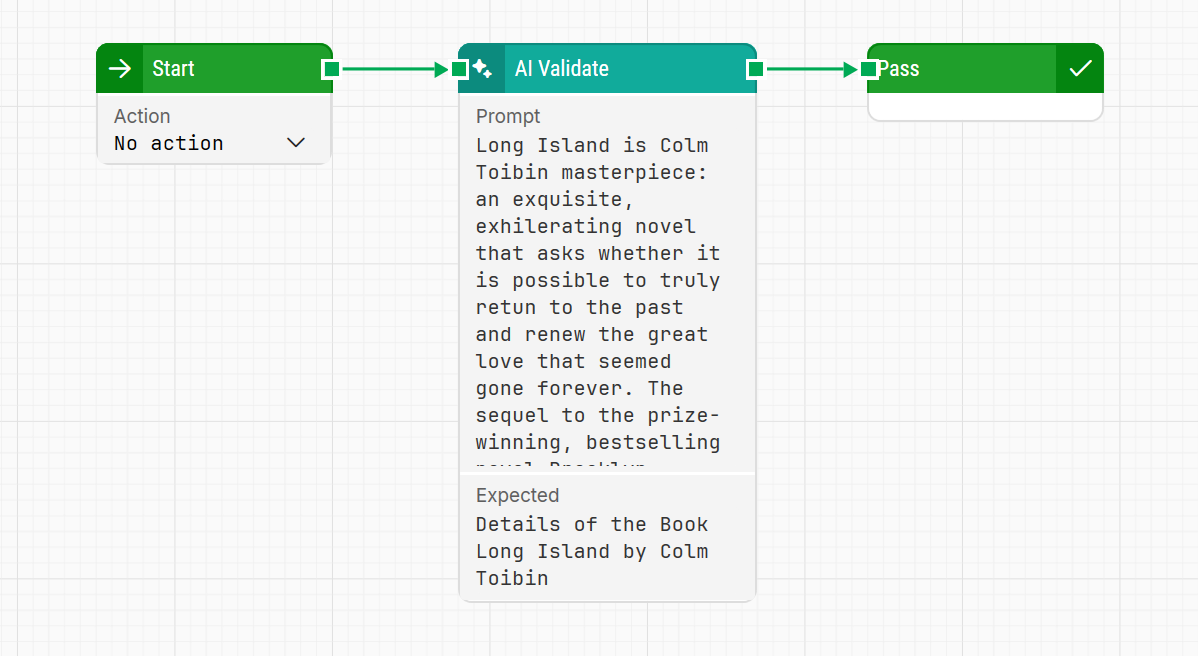
Input: “Long Island is Colm Tóibín’s masterpiece: an exquisite, exhilarating novel that asks whether it is possible to truly return to the past and renew the great love that seemed gone forever. The sequel to the prize-winning, bestselling novel Brooklyn.“
Expected: “Details of the Book Long Island by Colm Tóibín“
Output: “The input result provides a description of a book but does not include specific details about the book 'Long Island' by Colm Tóibín, such as publication date, publisher, or plot summary. It also refers to it as a sequel to 'Brooklyn', which is not consistent with known works by Colm Tóibín. “
-
Don’t rely on subjective or unclear conclusions.
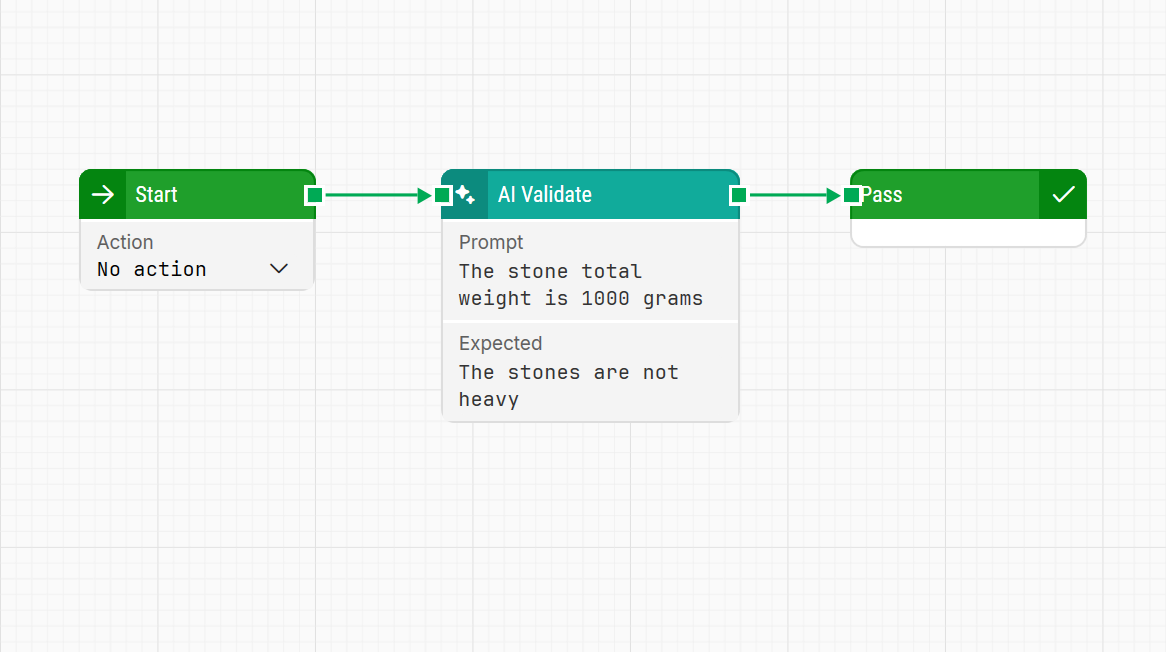
Input: “The stone total weight is 1000 grams “
Expected: “The stones are not heavy “
Output: “The input result indicates that the stones weigh 1000 grams, which contradicts the expected result stating that the stones are not heavy.“
Guidelines for Using the AI Extract Block
What You Can Do
-
Extract key details from structured text.
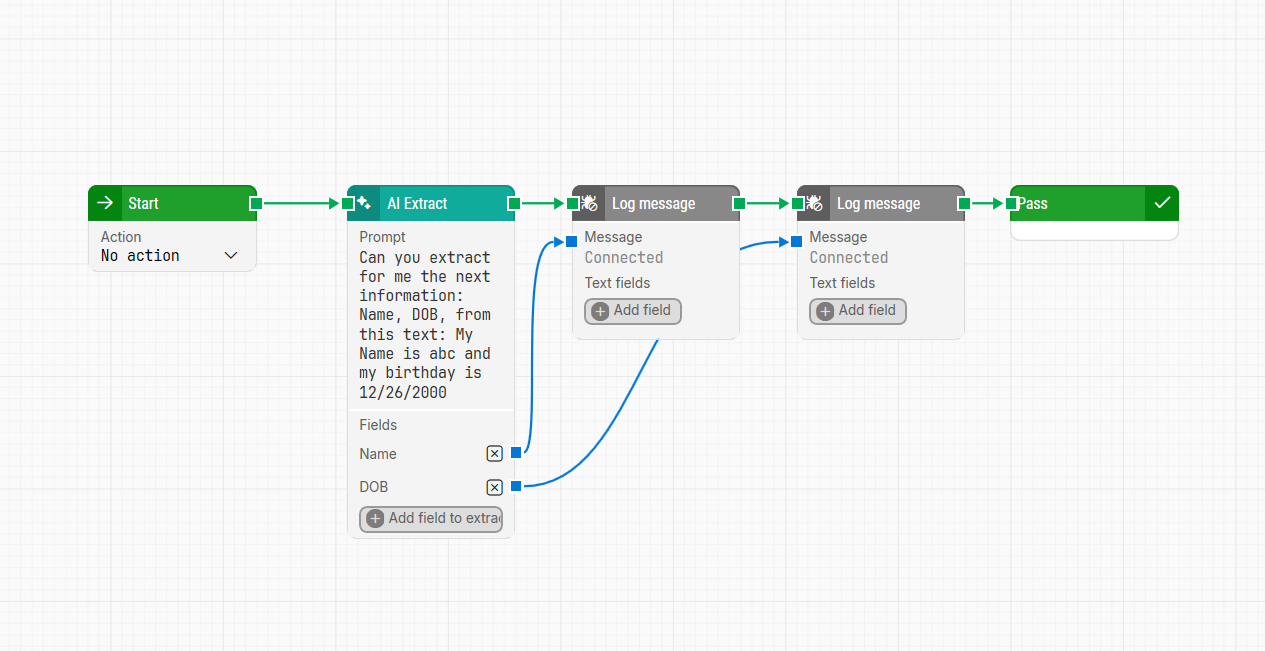
Input: “Can you extract for me the next information: Name, DOB, from this text: My name is abc and my birthday is 12/26/2000“
Fields to extract: “Name“, “DOB“
Output: “Extracted Name: abc, DOB: 12/26/2000 (AI took 1.3 seconds)“
-
Retrieve variables or specific values from code.
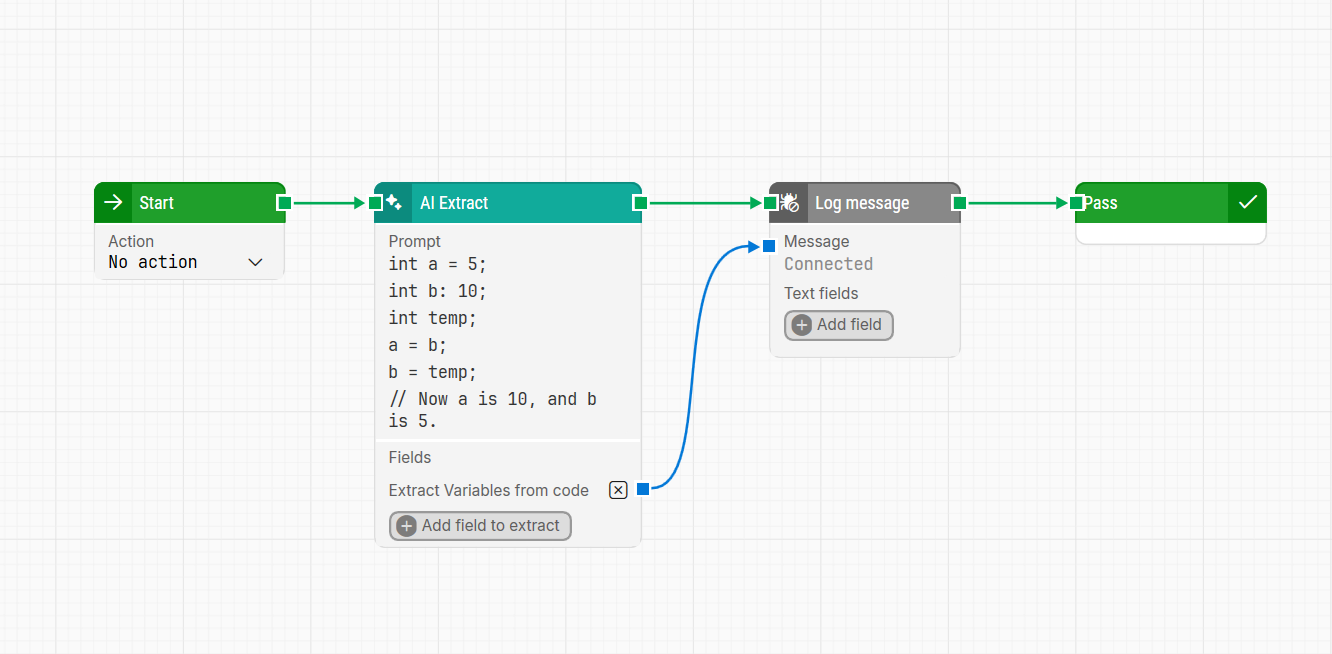
Input:
int a = 5;
int b = 10;
int temp;
temp = a;
a = b;
b = temp;
// Now a is 10, and b is 5.
Fields to extract: “Extract variables from code“
Output: “Extracted Extract variables from code: a, b, temp (AI took 1.9 seconds)“
-
Extract ID or build number from the given text.
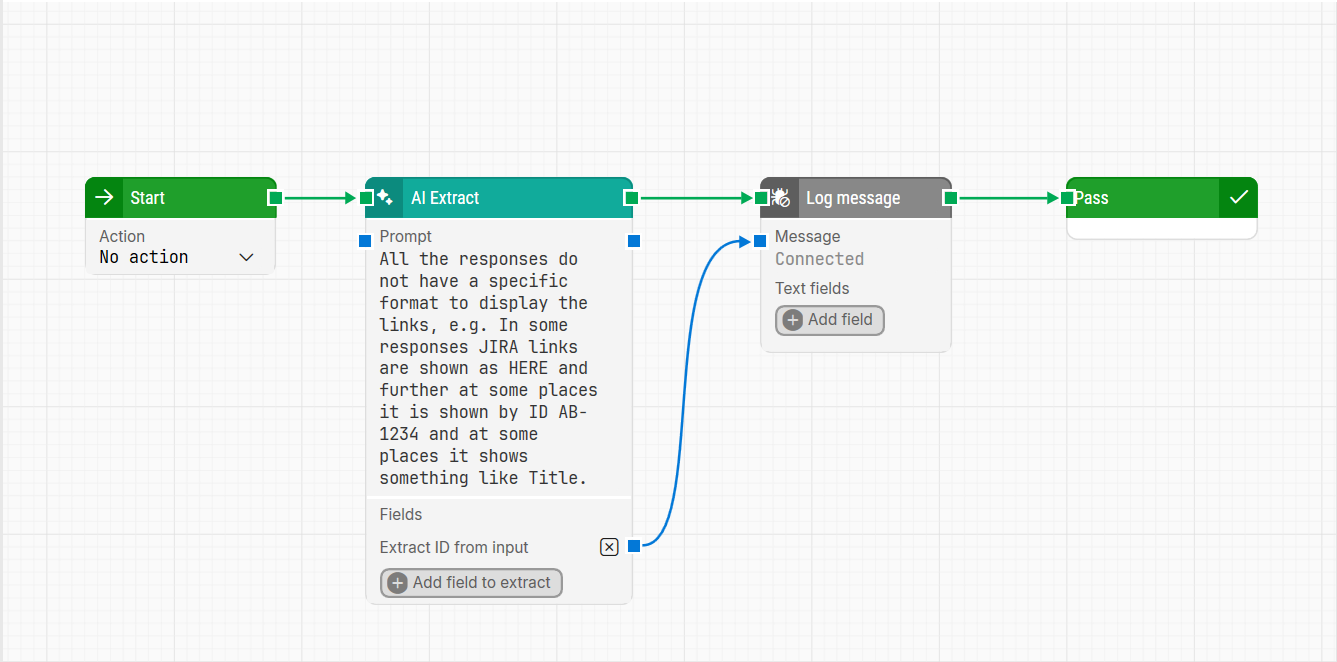
Input: “All the responses do not have a specific format to display the links, e.g. In some responses JIRA links are shown as SOURCE in some it is shown as HERE and further at some places it is shown by ID AB-1234 and at some places it shows something like Title.“
Fields to extract: “Extract ID from input“
Output: “Extracted Extract ID from given input: AB-1234 (AI took 1.3 seconds)“
What You Should Avoid
-
Don’t use vague or non-descriptive field names.
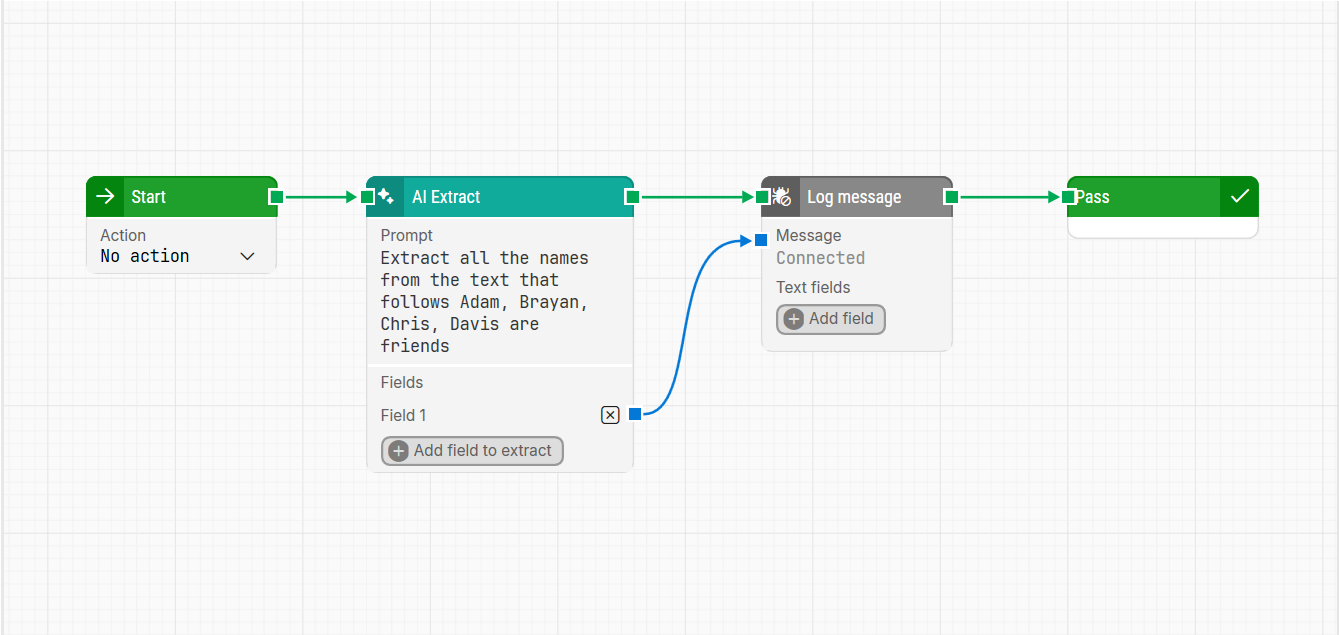
Input: “Extract all the names from the text that follows. Adam, Brayan, Chris, Davis are friends“
Fields to extract: “Field 1“
Output: “Extracted Field 1: Adam“, “Log message: Adam“
-
Avoid providing contradictory instructions.
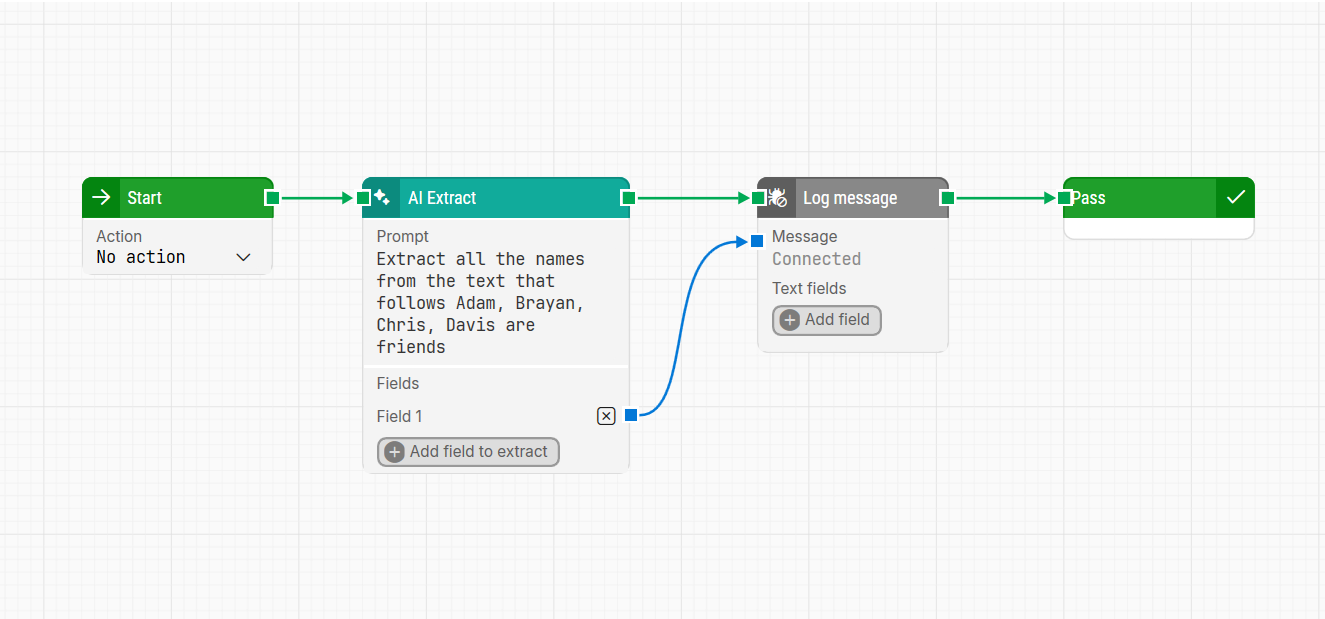
Input: “Extract all the names from the text that follows. Adam, Brayan, Chris, Davis are friends“
Fields to extract: “Extract all the vowels“
Output: “Extracted Extract all the vowels: Aa, aya, hi, avi (AI took 1.2 seconds)“ // Vowels are incorrect.
-
Avoid inconsistencies in date formats.
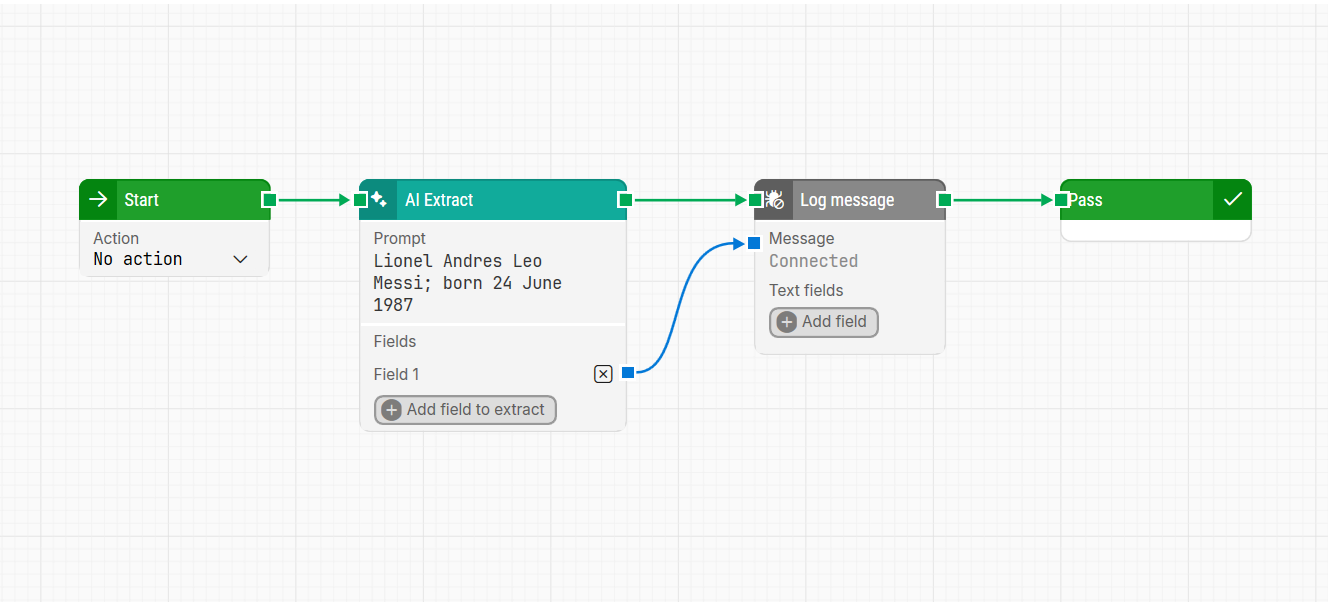
Input: “Lionel Andrés Leo Messi; born 24 June 1987“
Fields to extract: “odd numbers“
Output: “No odd numbers found in the input text.“
Guidelines for Using the AI Transform Block
What You Can Do
-
Convert data between formats.
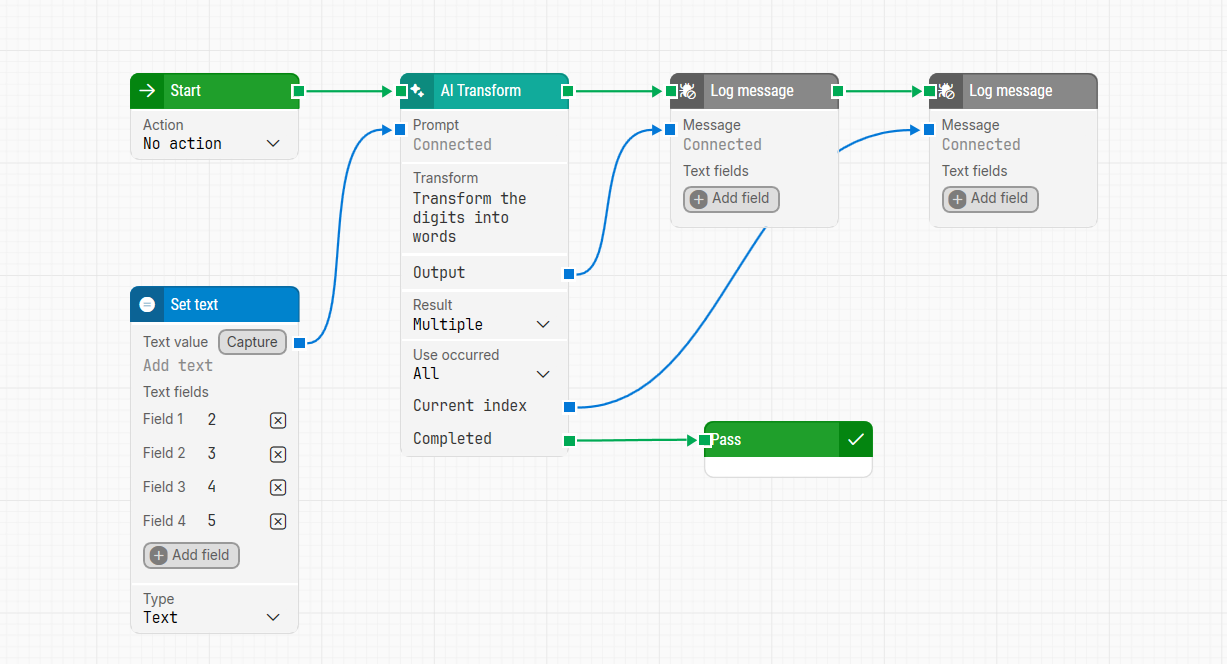
Input: (Different numbers)
Transform: “Transform the digits into words “
Output: “Transformed input to 4 items (AI took 0 seconds) “, “Transformed value 1: "two"“, “Transformed value 2: "three"“, “Transformed value 3: "four"“, “Transformed value 4: "five"“.
-
Perform unit or number conversions.
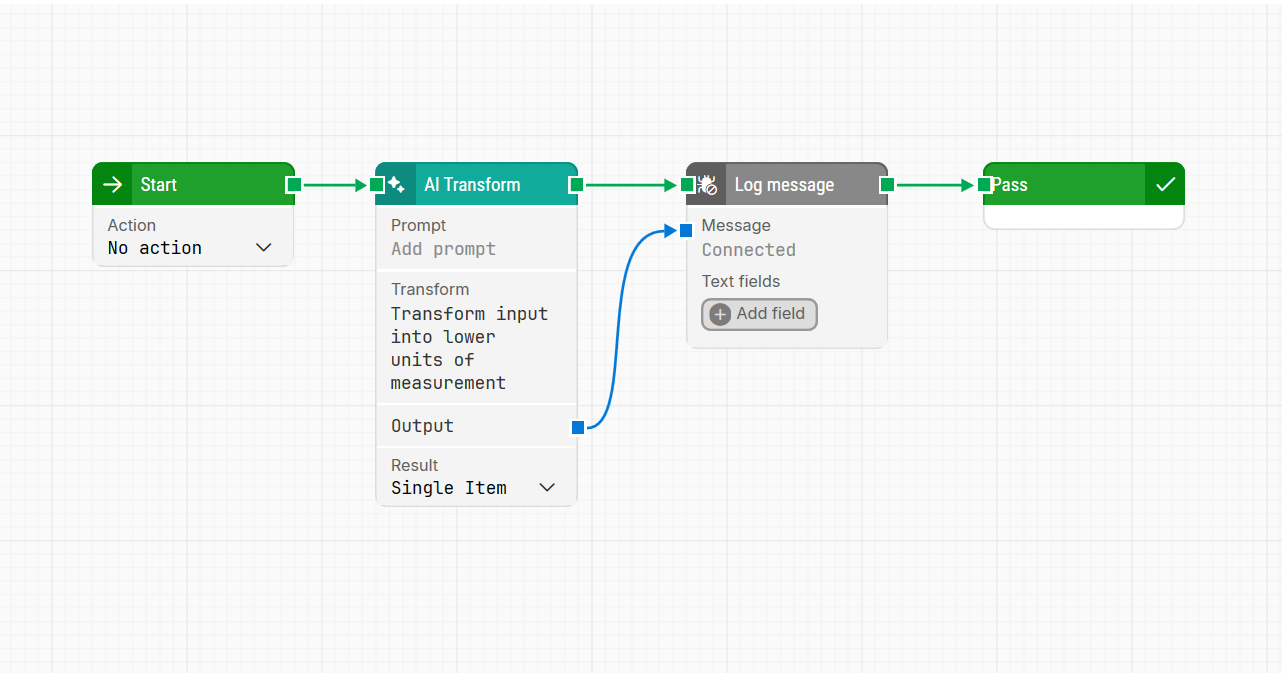
Input: “1 Kg“
Transform: “Transform input into lower units of measurement“
Output: “Transformed input to 1000 grams (AI took 0 seconds)“.
-
Translate text between languages.
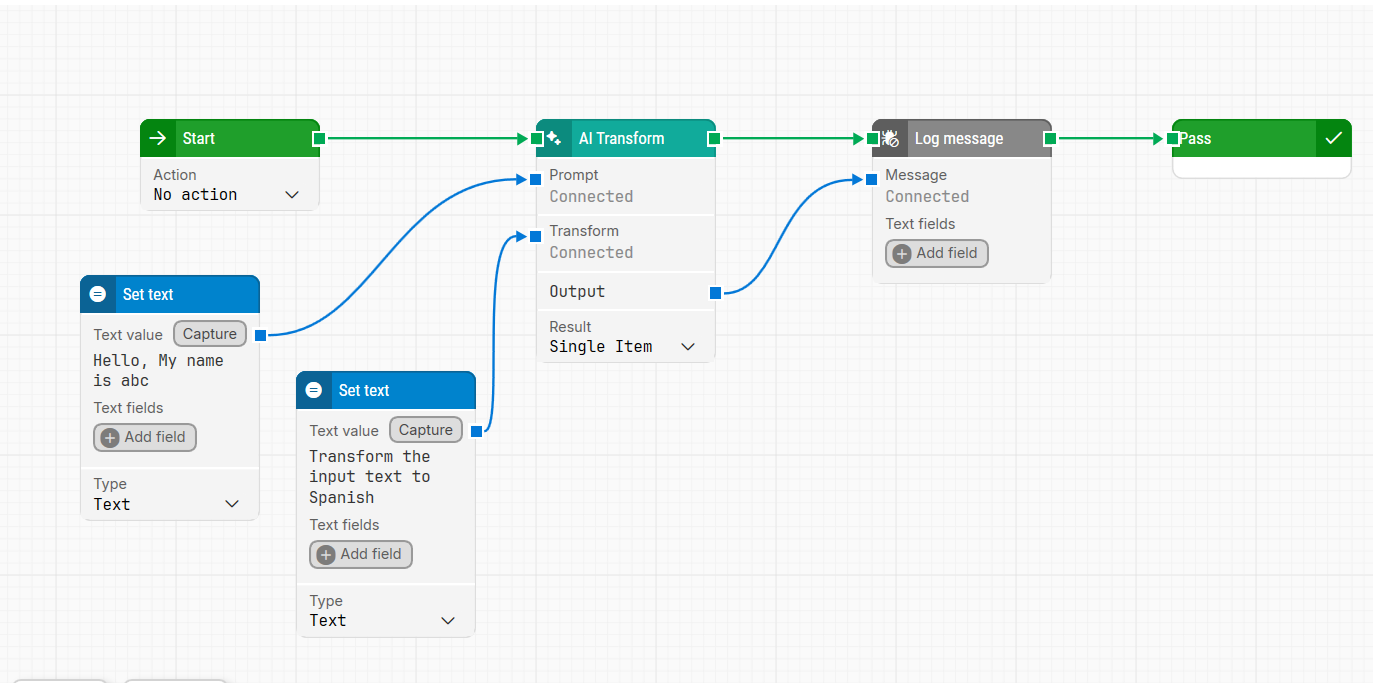
Input: “Hello, My name is abc“
Transform: “Transform the input text to Spanish“
Output: “Transformed input to Hola, mi nombre es abc (AI took 0 seconds)“.
What You Should Avoid
-
Don’t attempt unsupported transformations.
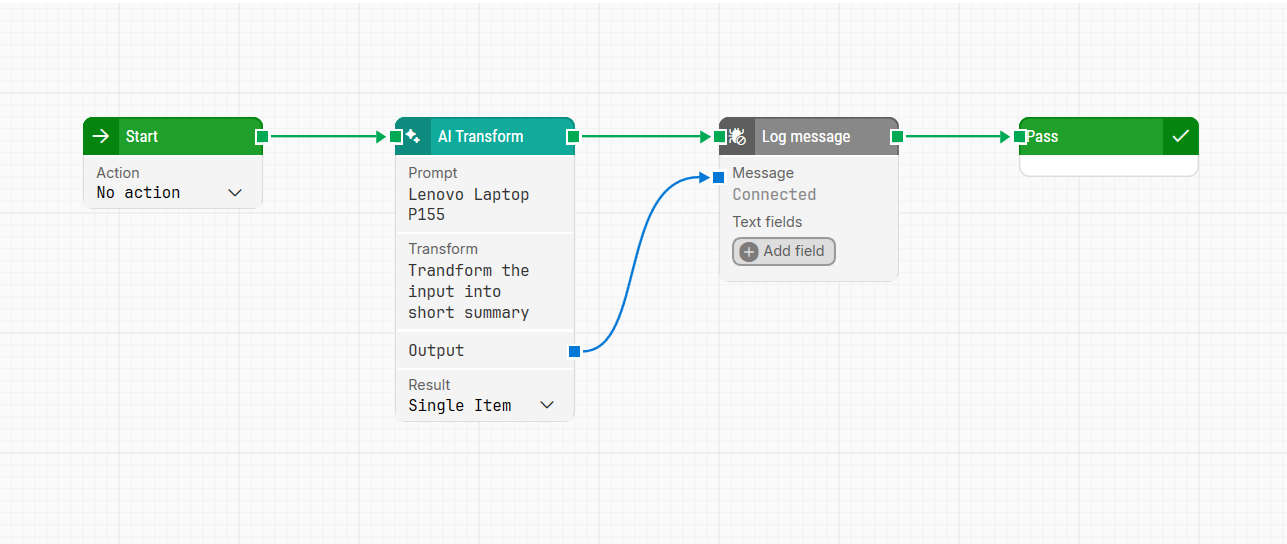
Input: “Lenovo laptop p155“
Transform: “Transform the input into short summary“
Output: “The request does not specify a transformation operation that matches the defined categories such as string manipulation, text analysis, or any other specific transformation task. 'Transform into a short summary' is ambiguous without further context."
-
Avoid using outdated conversion rates for currencies.
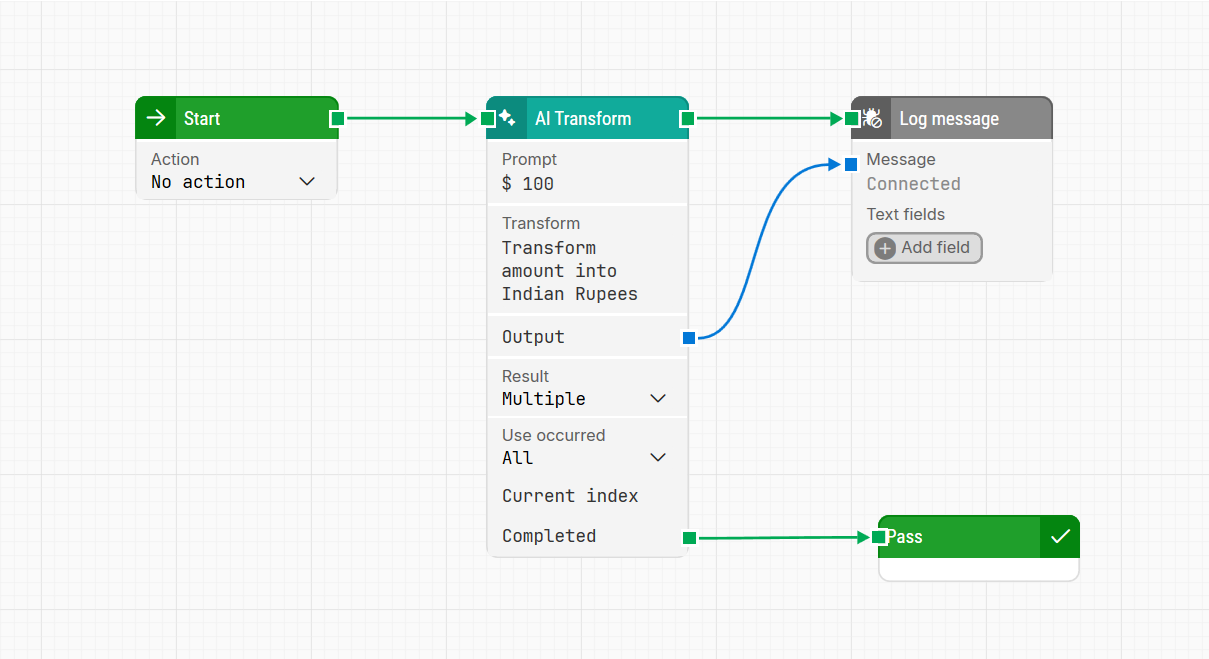
Input: “$ 100“
Transform: “Transform amount into indian rupees“
Output: “Transformed input to ₹ 8,315 (AI took 0 seconds)“. (Not correct as the exchange rate changes daily).
-
Avoid attempting text-to-image or file format conversions.
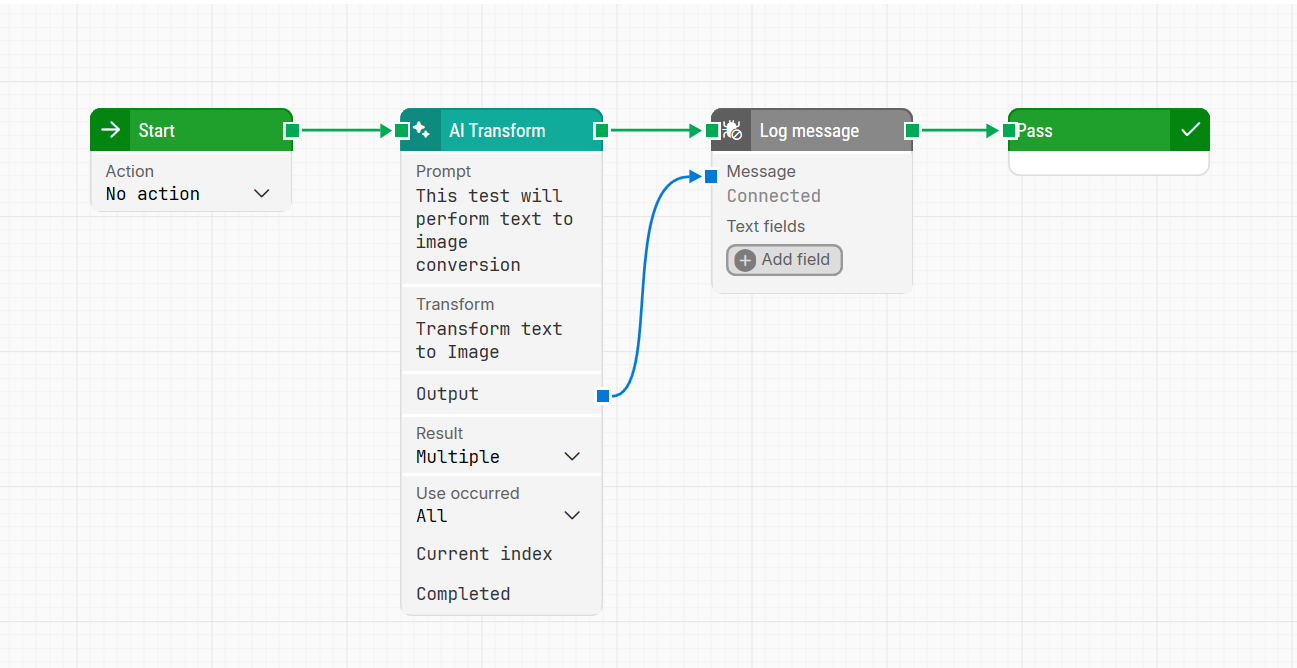
Input: “This test will perform text to image conversion“
Transform: “Transform text to image“
Output: “The request specifies a text-to-image conversion task, which falls outside the defined transformation operations such as string manipulation, language translation, or data formatting. Text-to-image conversion is not supported as a valid transformation operation in this context.”
Conclusion
Always keep in mind the limitations, such as avoiding unsupported transformations or ambiguous requests, and focus on structured, valid data to optimize your automation processes.
Disclaimer:
AI accuracy is not guaranteed, as it relies on probabilities and the performance of OpenAI’s technology on any given day. While we strive to provide a seamless experience, occasional inaccuracies or errors may occur due to the inherent limitations of the technology. For more details, please refer to OpenAI documentation.
If you have any questions, contact our Priority Support team.