
This release focuses on expanding protocol support and enhancing core platform stability. Key highlights include the introduction of SSE protocol support, significant optimizations to the timeline run database design for better performance, and the implementation of file-asset caching to streamline large-scale executions.
What’s new
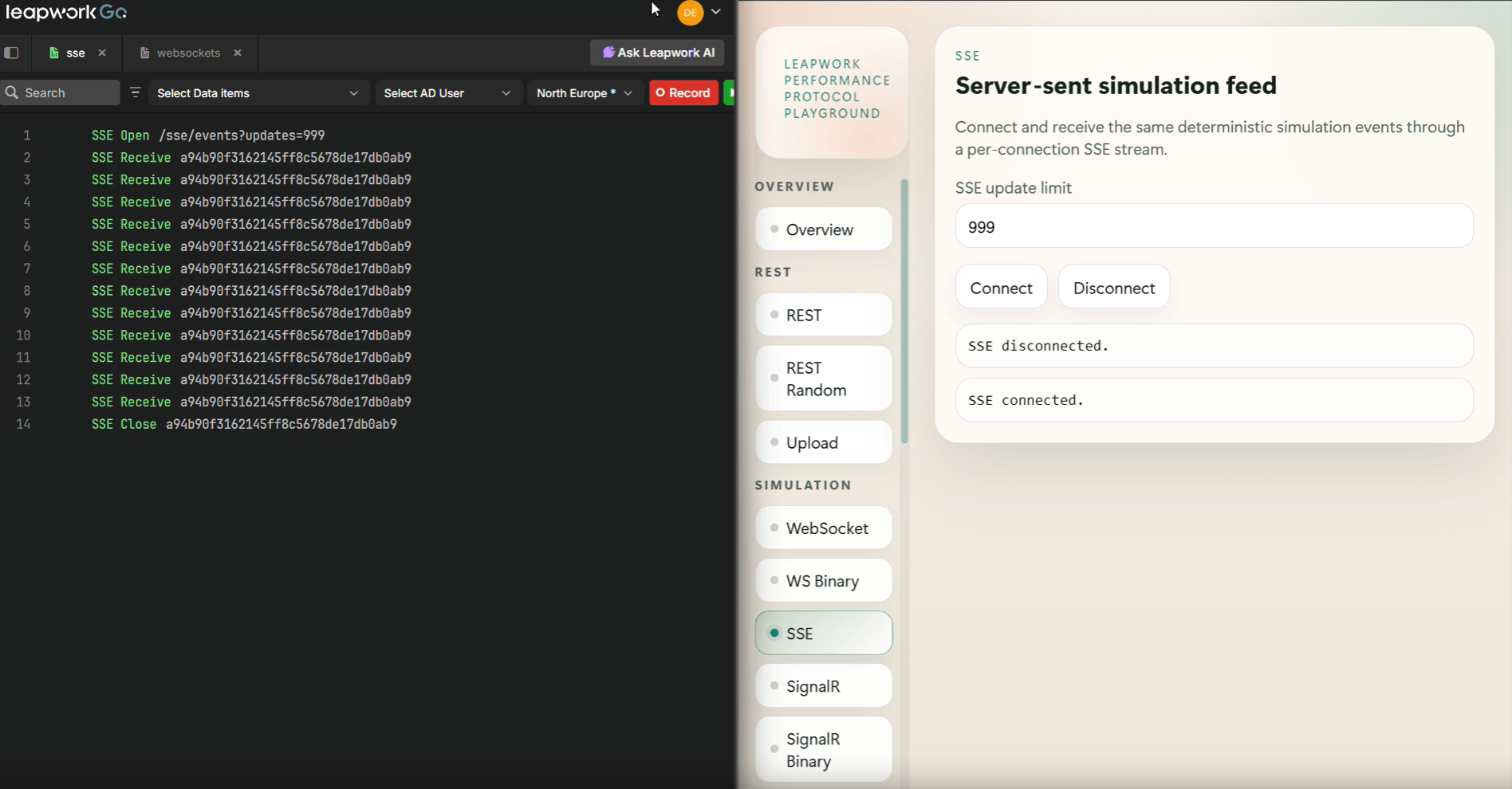
SSE Protocol Support
Leapwork now supports the Server-Sent Events (SSE) protocol, allowing users to capture, display, and execute real-time events from backends. This includes dedicated steps for opening, receiving, and closing SSE connections, ensuring accurate performance evaluation of real-time communication.
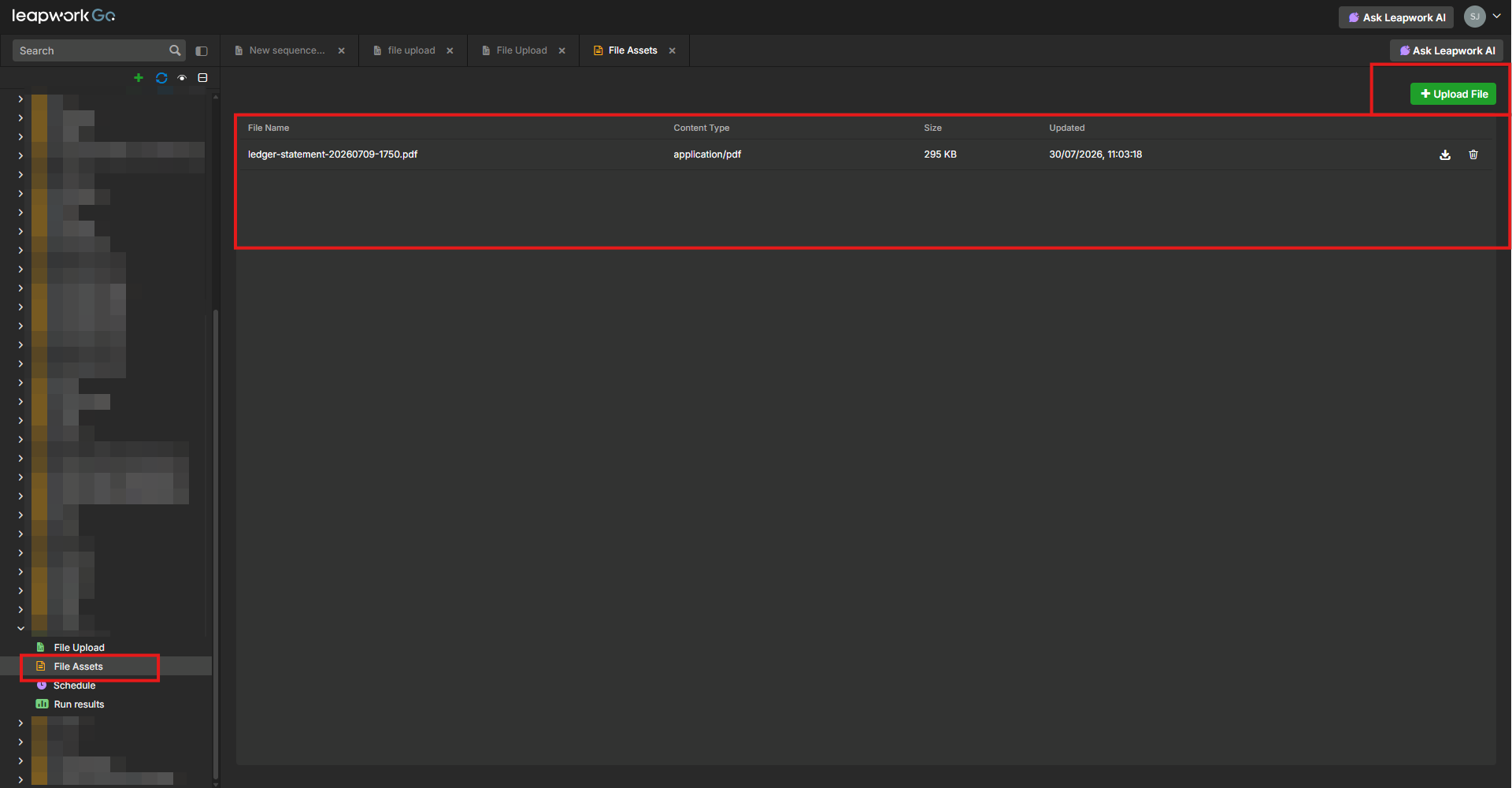
File Assets and Multipart Form Data Support
Leapwork now supports uploading and managing File Assets within projects, enabling realistic API testing for upload and document-processing workflows. Users can store files such as PDFs, images, CSVs, or ZIP archives once and reference them across multiple API steps using multipart form data requests.
AI Feature Controls via Leapwork Support
Organizations that require stricter governance over AI functionality can request Leapwork Support to disable AI-powered features, such as AI Insights and AI Reports, for their environment. This provides teams with the flexibility to align AI usage with their internal compliance and security policies without requiring self-service configuration.
Enhanced AD Login Process
The Active Directory login flow has been optimized to fail immediately at the specific step where an error occurs, such as an incorrect username or password. This improvement provides clearer feedback and reduces troubleshooting time during authentication failures.
What’s updated
Timeline Run Database Optimization
The database schema for timeline run packages has been redesigned to improve query performance and reduce CPU/memory overhead. This optimization allows for faster loading of detailed run results and better handling of large datasets.
Secure Variable Support for WebSockets
The secure variable masking context has been extended to WebSocket communication. Sensitive data within Send and Receive steps is now properly masked, ensuring that credentials and private information remain protected in logs and results.
UI Versioning and Build Metadata
The application footer now displays dynamic build information, including a timestamp converted to the user's local timezone and a specific build number sourced from the CI/CD pipeline, replacing static version text.
SignalR Memory Management
We have implemented memory optimizations for SignalR message handling within WebSockets. This update improves how dynamic messages are assembled and processed during recording and execution, leading to a more stable experience.
Bugs and Improvements
This release includes the following fixes to improve stability and reliability:
-
Fixed an issue where the top run result would not open automatically when clicking the Run Results option in the Project Explorer.
-
Resolved a bug where the pagination control disappeared from Audit Logs when navigating to the last page.
-
Fixed an issue where D365 CE APIs were not being automatically grouped during sequence recording.
-
Fixed a bug where recorded groups were not being created properly during F&O environment recording.
-
Fixed a bug where WebSocket steps with no status code were incorrectly appearing as errors in the captured results.
-
Resolved an issue where sequences would not close correctly in the staging environment if the preview state was not reset.
-
Resolved an issue where Save and Set value operations were unavailable in the recorded response body.