
Leapwork Go 2026.14 focuses on enhancing the authoring experience and improving system performance. This release introduces a more intuitive way to build timelines with a dedicated button, expands data management capabilities with CSV exports for DataItems, and adds support for WebSocket traffic in HAR file imports. Additionally, significant backend optimizations have been implemented to ensure faster loading of run results and more stable real-time connections, providing a smoother and more reliable performance testing workflow.
What’s new
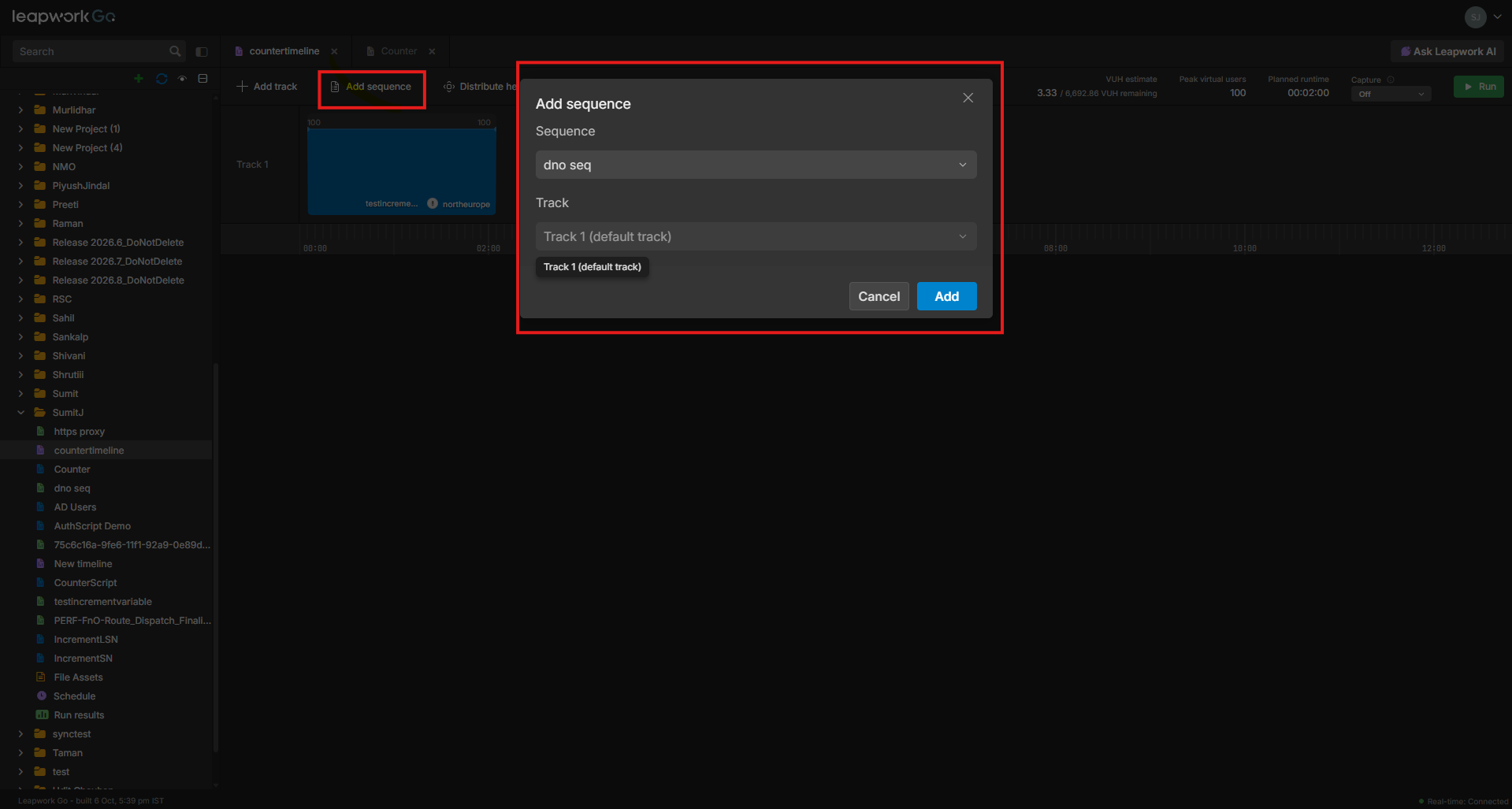
Timeline: Add Sequence button
Users can now add sequences to specific tracks in a timeline using a dedicated Add Sequence button and modal. This provides a structured alternative to drag-and-drop, allowing users to select active sequences from the project including those in nested folders and place them precisely on a chosen track.
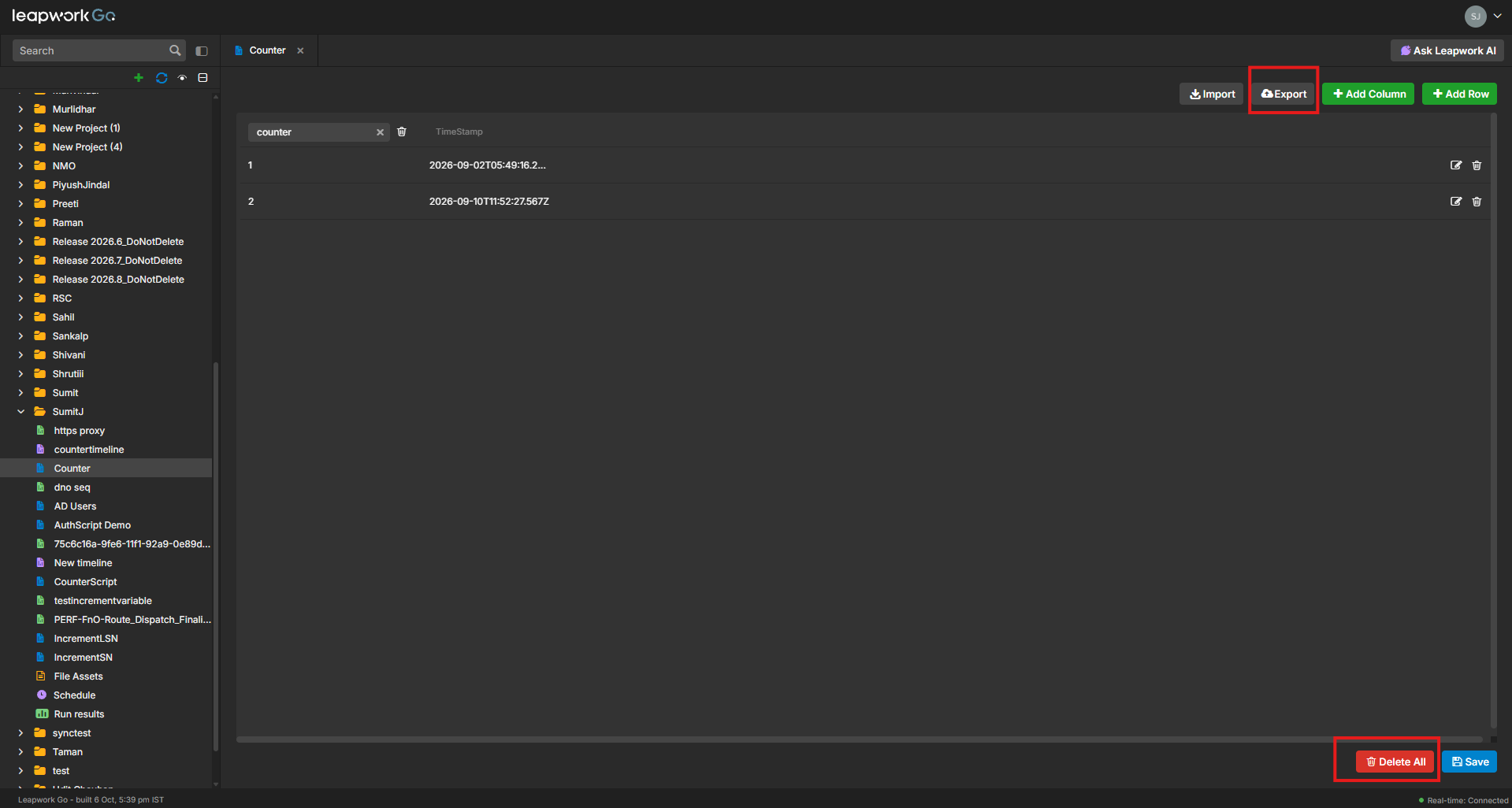
DataItem: CSV Export and Clear All
The DataItem table now supports exporting all current rows, including timestamps, directly to a CSV file. Additionally, a new "Delete All" action allows users to clear all data rows in a single step while preserving the table's column structure, making it easier to reset test data between runs.
HAR file support for WebSockets
The HAR file import functionality has been expanded to include WebSocket traffic. Users can now import WebSocket Open, Send, Receive, and Close steps from captured browser traffic, enabling the creation of sequences that include real-time communication protocols like SignalR and GraphQL subscriptions.
What’s updated
Run Results performance
The system has been optimized to reduce database load and improve response times when opening project run results. By refactoring data retrieval processes and improving indexing, the time taken to load run metadata and generate trend analysis has been significantly reduced, especially for projects with extensive run histories.
Editor UI refactoring
The dimensions of the Auth Script and Script DataItem editors have been refactored to align with updated designs. These changes provide more editing space and improved layout consistency across different viewport sizes, ensuring a better workspace for script authoring.
Bugs and Improvements
This release includes the following fixes to improve stability and reliability:
-
Fixed an issue where certificates were being downloaded from the default Leapwork domain instead of the user's specific domain.
-
Resolved an inconsistency where exported trend analysis reports used unique run IDs instead of the timeline name for the filename.
-
Fixed a UI bug where a navigation icon was incorrectly displayed next to the Admin Hub option in global settings.
-
Corrected a display inconsistency for long sequence names in AI Report details to ensure consistent naming across different sections.