
The Dashboard provides customer admins with a high-level view of company usage, entitlements, and recent performance activity.
Open the Dashboard
-
Sign in to the Admin Portal.
-
In the left navigation, select Dashboard.
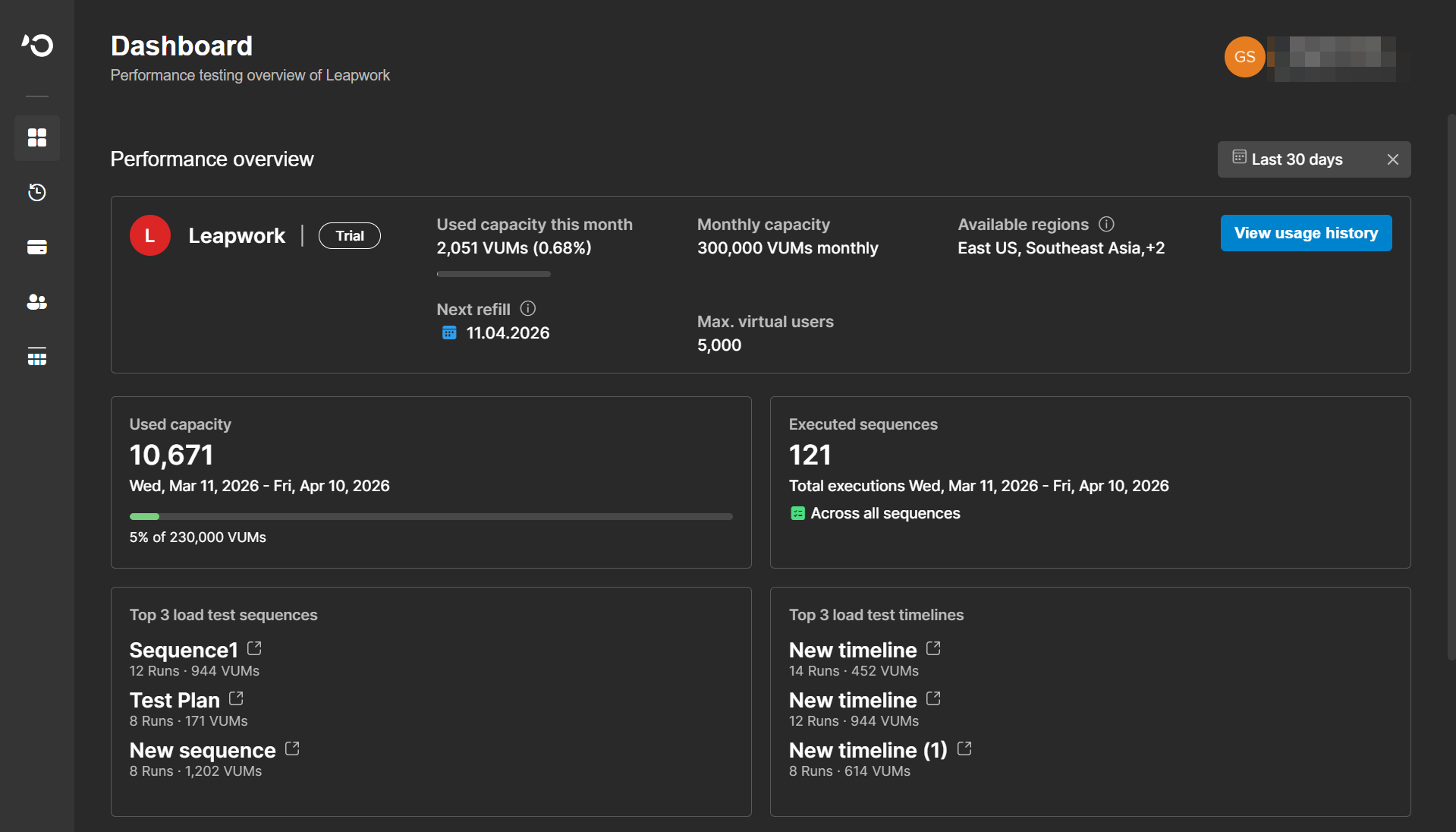
Performance overview card
The main summary card provides an at-a-glance view of your current subscription and usage. It includes:
-
Company name and current plan
-
Capacity used in the current month, including the percentage of the monthly quota consumed
-
Next refill date
-
Annual capacity
-
Maximum number of virtual users
-
Available regions
-
A View usage history shortcut
If your company has more than two available regions, the card displays the first regions and shows a count of the additional regions.
Performance overview section
Use the date range selector in the upper-right corner of the Performance overview section to review a specific period.
The selected date range applies to all performance overview cards in this section.
|
Card |
Description |
|---|---|
|
Used capacity |
Total VUH consumption in the selected period, plus the percentage of the available quota |
|
Executed sequences |
Total number of sequence executions in the selected period |
|
Top 3 load test sequences |
The three most frequently executed sequences and their VUH consumption |
|
Top 3 load test timelines |
The three most frequently executed timelines and their VUH consumption |
Select the open icon on a sequence or timeline card to open that asset in Leapwork Performance.
Company Administration section
The Company Administration section provides a company-level snapshot that is not affected by the Dashboard date range.
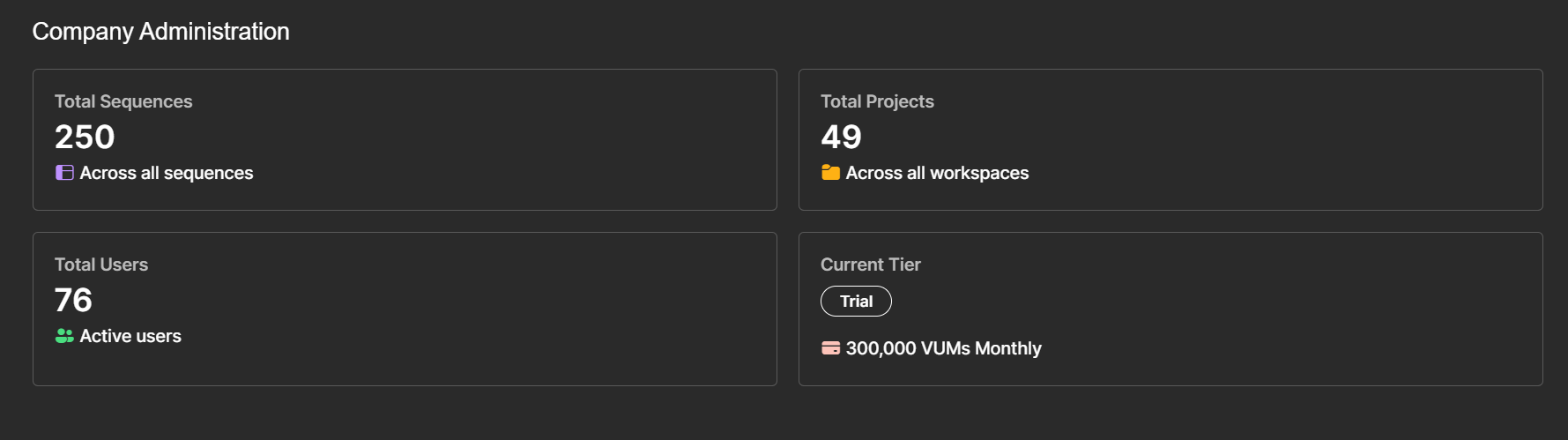
It shows:
-
Total sequences
-
Total projects
-
Total users
-
Current plan and annual VUH entitlement
When to use this page
Use the Dashboard to:
-
Check whether your company is approaching its capacity limit.
-
Confirm the next refill date before a planned test cycle.
-
Identify which sequences and timelines are executed most frequently.
-
Review overall company scale before working in User Management or Audit Logs.