
Go includes an HyperText Markup Language (HTML) response editor that lets you inspect HTML responses returned by a request. Previously, responses were displayed as binary output. The HTML response editor provides readable HTML with two viewing options, body and code.
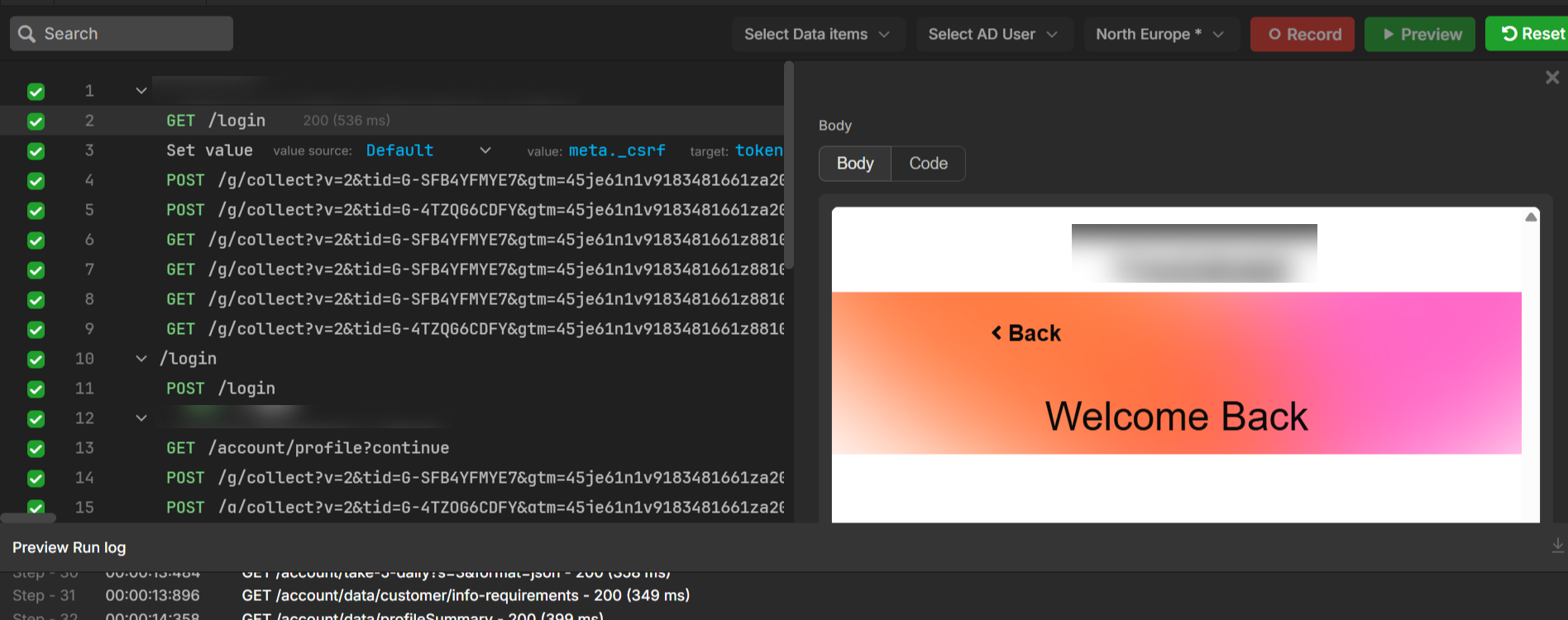
When to use the HTML response editor
Use the HTML response editor when you:
-
Need to inspect the full HTML returned by a request.
-
Need to extract values from meta tags or input fields.
-
Need to capture a value from a response and use it in a later step in the same sequence (for example, a login token or form value).
Ensure your sequence runs successfully (for example, login and post-login steps complete without errors). Open the step that contains the response you want to inspect.
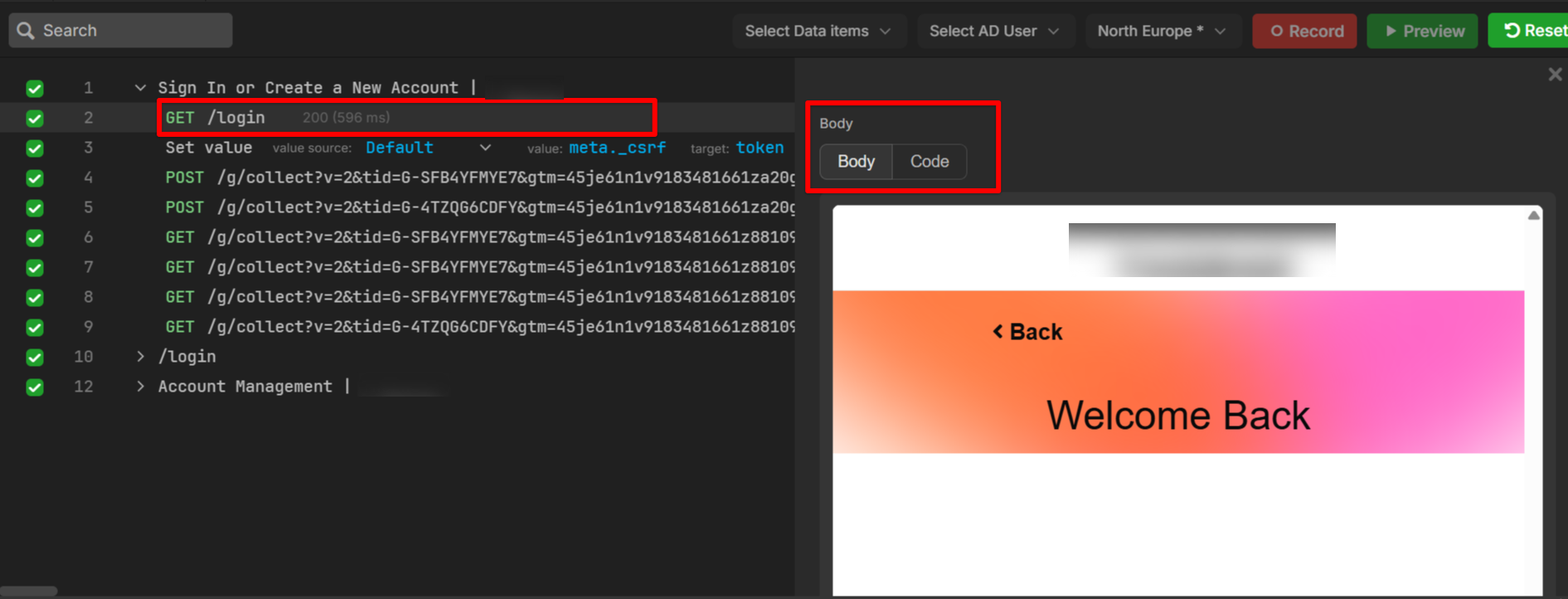
View the response body
Use this view to see the rendered response as it appears to an end user.
-
Open the relevant step in Preview Mode. The HTML response editor opens automatically.
-
Select Code.
View the full HTML response
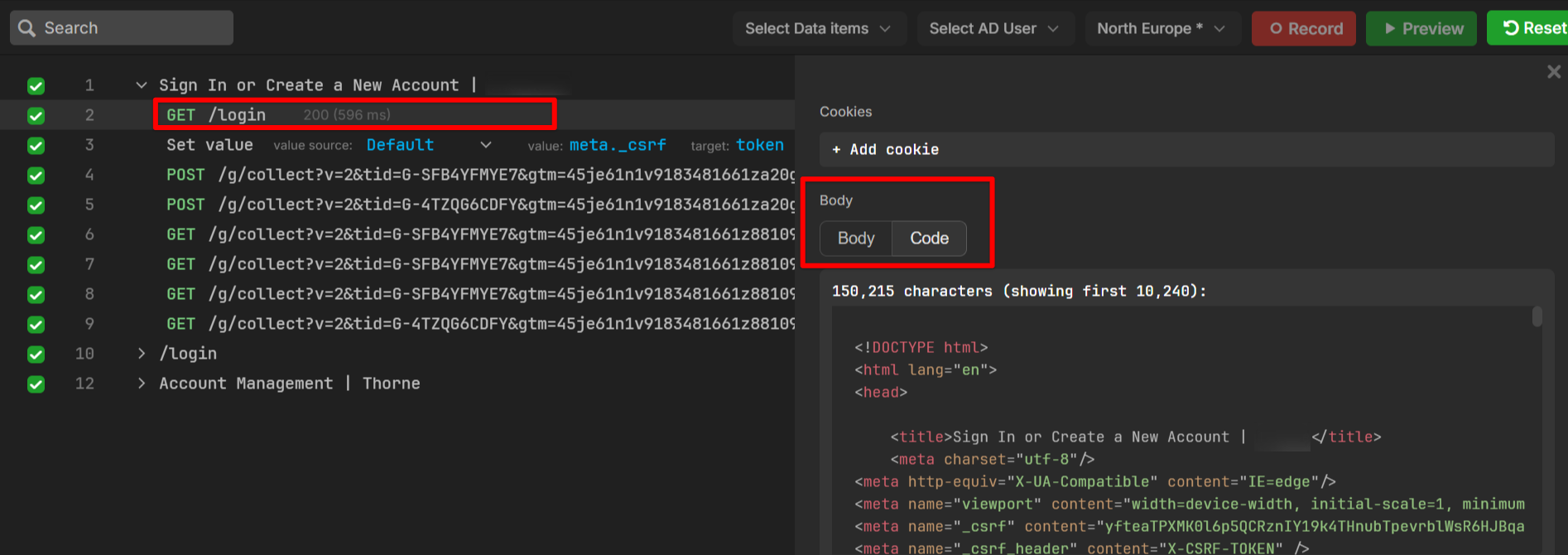
Use this view to inspect the complete HTML source.
-
Open the relevant step in Preview Mode. The HTML response editor opens automatically.
-
Select Code.
The system displays the full HTML response.
Extract data from HTML
Use this feature to capture specific values from the HTML source and reuse them in your flow. This is useful for dynamic values such as Cross-Site Request Forgery (CSRF) tokens, which are security tokens used to protect web applications from unauthorized requests.
-
Access to the HTML code response.
-
Locate the HTML element that contains the value you need. You can scroll through the response or use search functionality.
-
Right-click the HTML element.
-
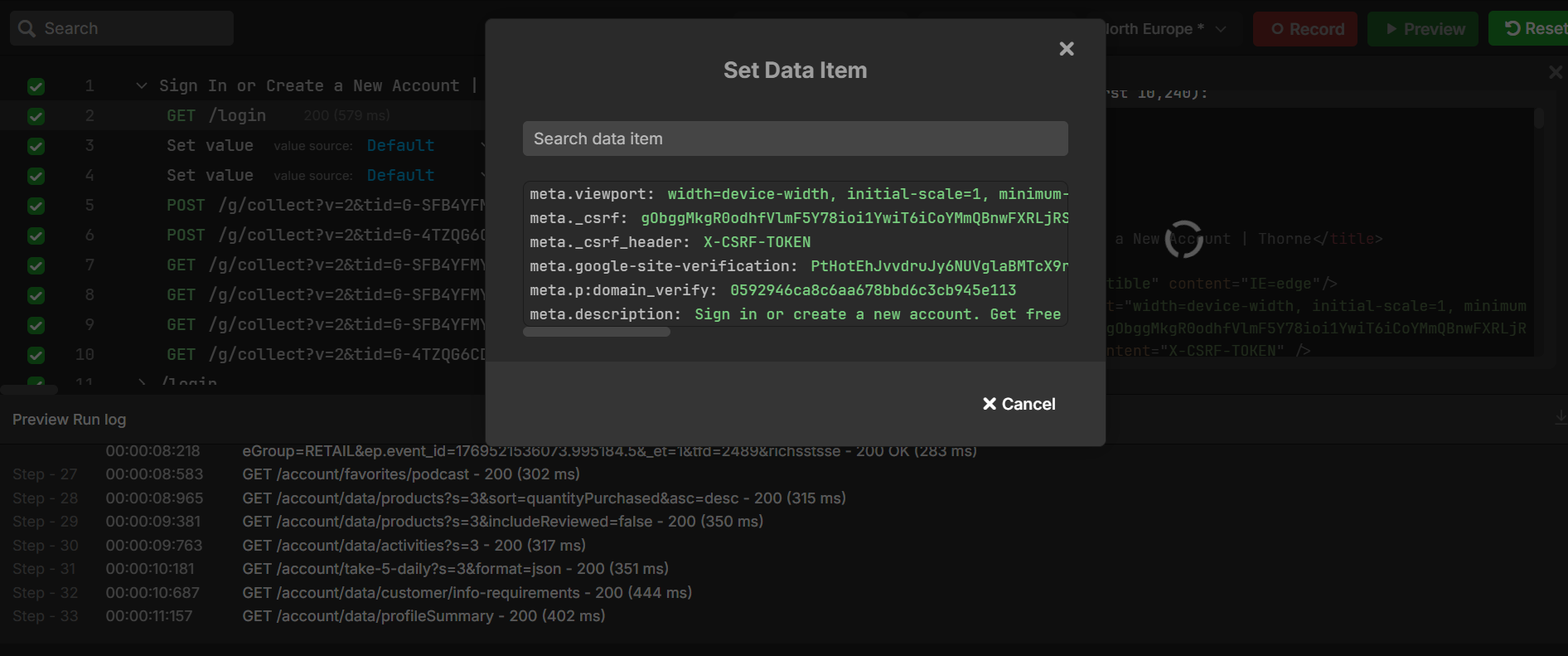
Select Set value, the Set Data Item dialog opens.
-
Select the required meta tag or input elements with name attributes from the list.
Go adds the selected value to your step sequence and maps it to the corresponding HTML element.
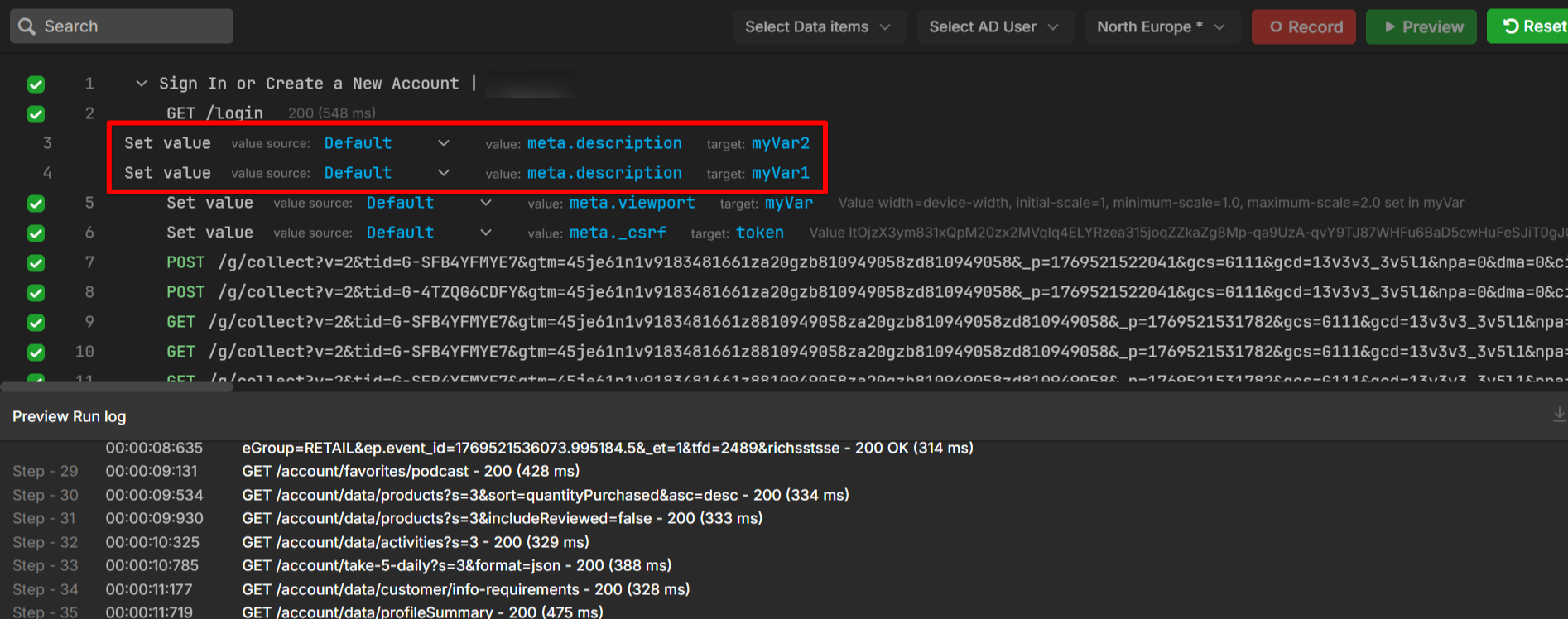
The Set Data Item feature supports standard meta tags and named input fields. For values embedded in complex nested tags, use custom parsing logic.