
The Downloads section in the Customer Portal is where customers can access official Leapwork installers and supporting downloads. It is typically used when you need to install or upgrade Leapwork Flow, share download links with your IT team, or quickly confirm what a release includes before rolling it out.
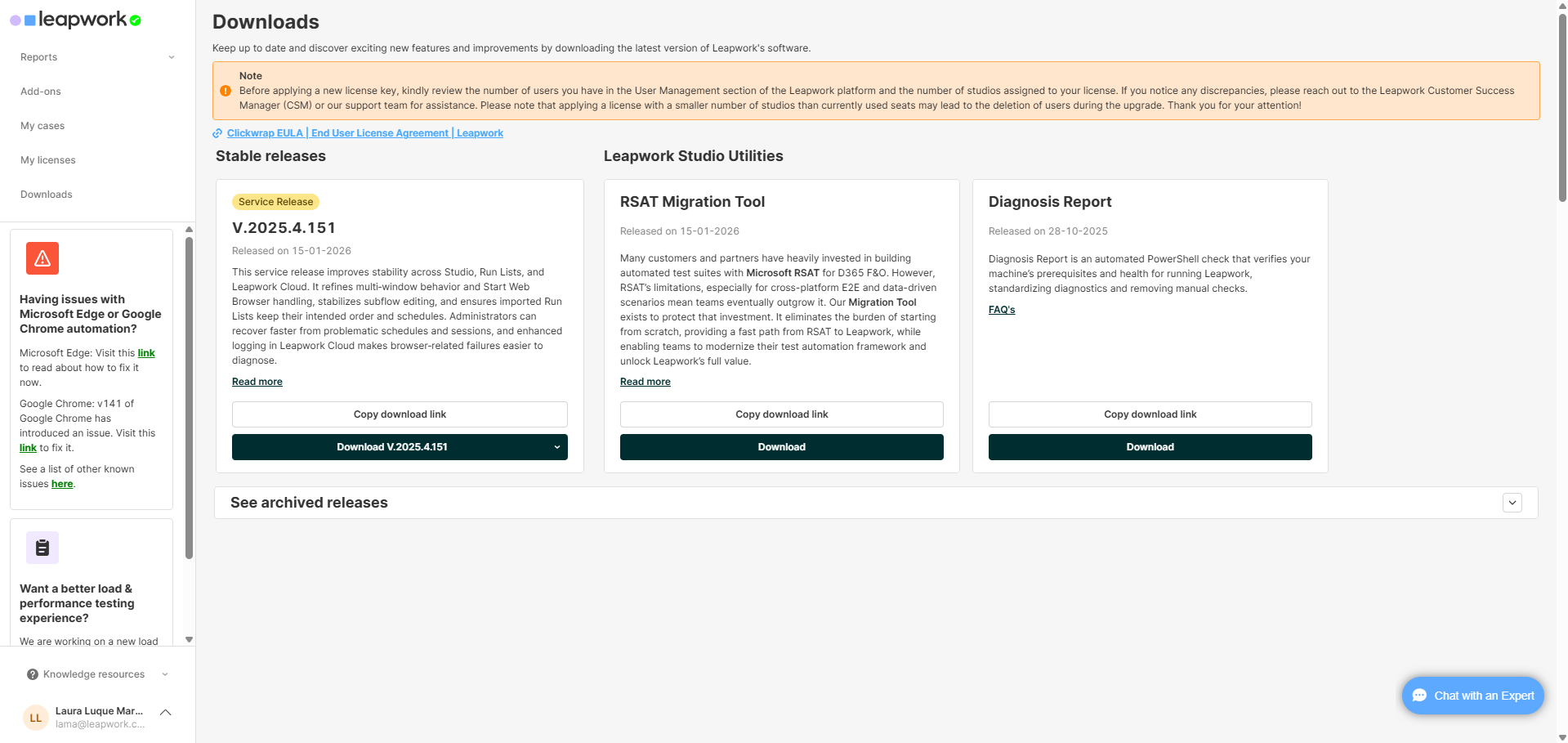
From this page, customers can:
-
Download the latest stable version of Leapwork Flow
-
Copy and share download links instead of distributing files
-
Open release notes to review changes before upgrading
-
Download additional utilities related to Leapwork Flow for specific scenarios
-
Access archived releases when an earlier version is required
Stable releases
Stable releases are presented as cards, each representing a release available for download. These cards help you quickly identify the latest version and understand what is included.
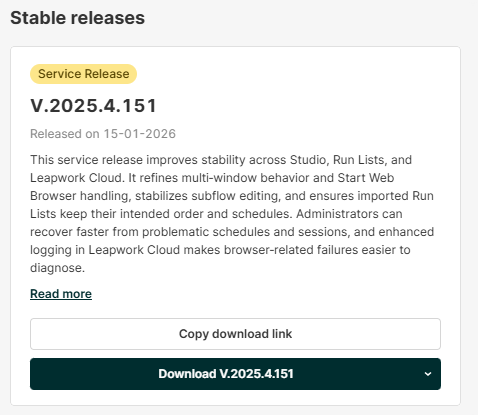
Each release card includes:
-
Release tag (for example, Service Release or Major Release)
-
Version information (the release version number)
-
Release date
-
Summary of improvements, providing a short overview of what is included
-
Read more, which redirects to the detailed release notes
-
Copy download link, which copies the download URL to your clipboard for easy sharing
-
Download, which starts the download of the installer
Leapwork Flow Utilities
The Leapwork Flow Utilities section contains additional tools related to Leapwork Flow that support specific scenarios beyond the main Flow installer. The utilities available in this section can change over time as Leapwork publishes new supporting tools.
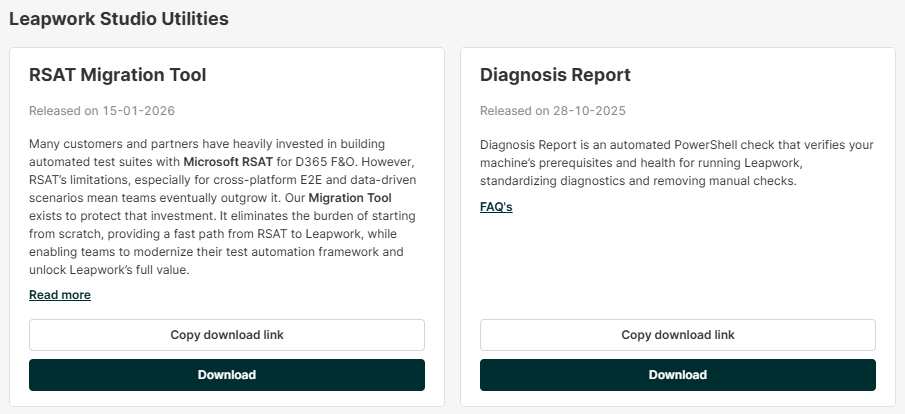
Utilities in this area commonly address needs such as:
-
Supporting migration or modernization efforts from other automation approaches
-
Running environment checks and diagnostics to validate prerequisites and help troubleshoot issues
-
Providing operational support tools that assist with preparing, maintaining, or standardizing Flow usage
What you can do with each utility
Each utility is presented as a card and typically includes:
-
A release date, showing when the utility was published or updated
-
A short description explaining what it is used for
-
In some cases, additional links such as Read more or FAQs for further details
Download options
Each utility card provides direct actions to access the tool:
-
Copy download link: copies the download URL to your clipboard, useful for sharing with teammates or IT
-
Download: starts the download
Archived releases
At the bottom of the page, See archived releases allows customers to access earlier releases when needed.
