
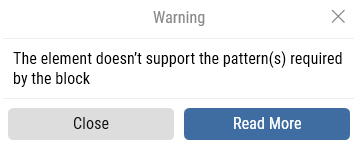
The element doesn’t support the pattern(s) required by the block
This warning appears when the element you capture does not support the interaction patterns needed by the block you are using.
For example, if you try to capture a button with the Expand UI Element block, but that button cannot expand, you will see this message.
Required Patterns
Each block depends on specific patterns to work:
-
Set UI Element Value:
ValuePattern_SetValueorRangeValuePattern_SetValue -
Expand UI Element:
ExpandCollapsePattern_Expand
The Invoke UI Element block supports all patterns.
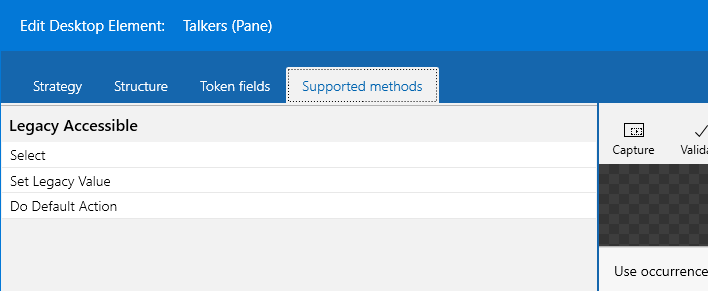
How to Check Supported Patterns
-
Capture the element with Find UI Element.
-
Right-click it and select Edit UI Element.
-
Open the Supported methods tab to see which patterns are available.
Fields not picking up data from outside C# editor
Symptoms
When using a C# Code block in a flow, you may notice one or more of the following issues:
-
Input Fields are not picked up unless a value is manually set inside the C# editor
-
Output Fields are not available after the block finishes running
-
The code executes correctly, but values are not passed back to the flow
This issue is usually caused by a temporary state problem in Leapwork Studio.
In some cases, type casting can also fail if the input Field is null or not of the expected type.
Resolution
-
Restart Leapwork Studio.
-
Run the flow again and verify whether the Fields are now read and updated correctly.
-
If the issue persists, validate the input Field before casting, for example:
-
Check for null values
-
Ensure the Field contains the expected data type (such as string)
-