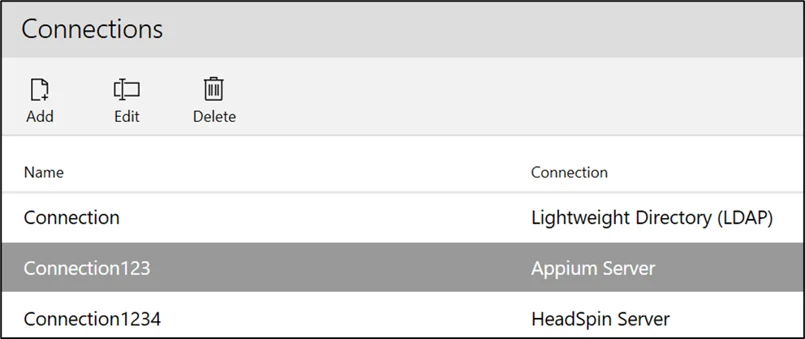
The LambdaTest Server is a cloud-based platform for testing mobile applications on real iOS and Android devices. With this connection, you can access LambdaTest’s mobile infrastructure through Leapwork and automate native mobile flows without physical devices.
Note: This feature is available to Leapwork Admin users only.
Add Connection
To add a connection, click the Add button and the following pop-up appears:
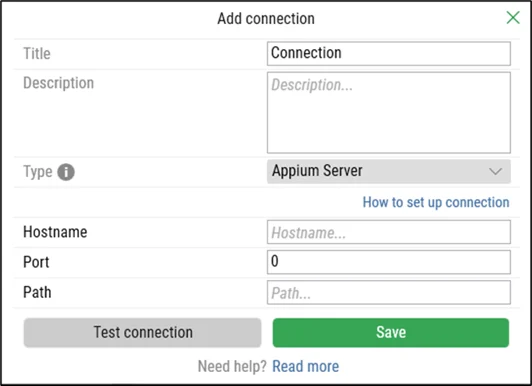
On the Add Connection pop-up window:
-
Enter the title in the Title field. It should be unique.
-
Enter the description in the Description field.
-
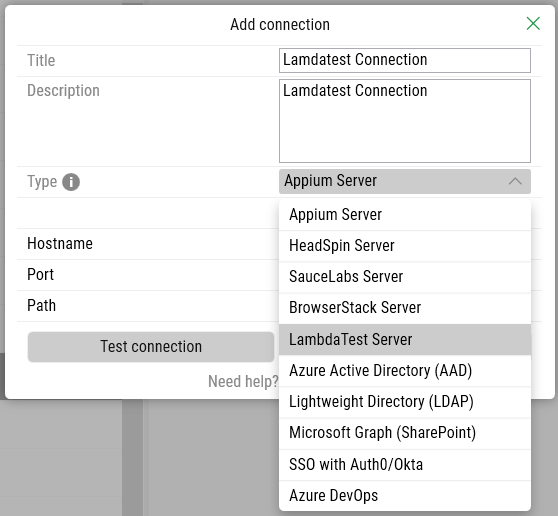
From the Type drop-down, select the LambdaTest Server option:
-
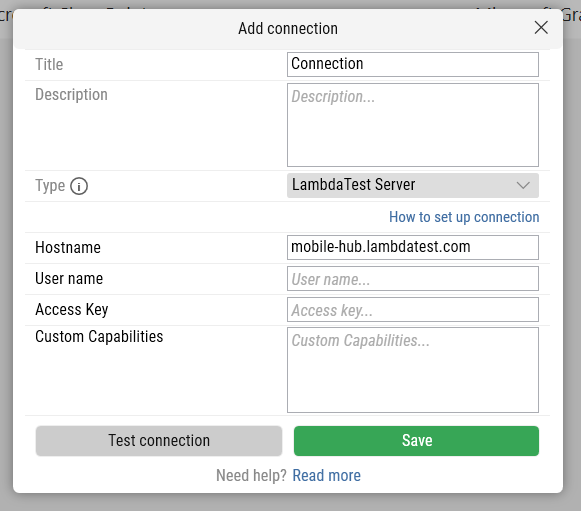
Select LambdaTest Server and the following new fields appear:
-
In the Hostname field, enter the LambdaTest endpoint.
(Default: https://mobile-hub.lambdatest.com/wd/hub) -
Enter your LambdaTest Username in the user name field.
-
Enter your Access Key in the access key field.
-
Enter the custom capabilities for mobile testing, such as the device type, OS version, and browser settings, in JSON format in the Custom Capabilities field. This field is optional.
2. Click the Test connection button to verify the credentials.
-
Click the Save button to save the details.
Once your connection is saved, a success message confirms it.
To modify or remove the connection, you can use the Edit or Delete buttons located next to the Add button.