
Take control of performance testing and governance with a release that tightens access control, simplifies administration, and makes timelines and run results easier to understand. In 2026.4, you get role-based access control, rebranded experiences that align with Leapwork, and a series of improvements that make authentication, auditability, and troubleshooting more reliable. Leapwork Performance is now available at https://performance.leapwork.ai
What’s new
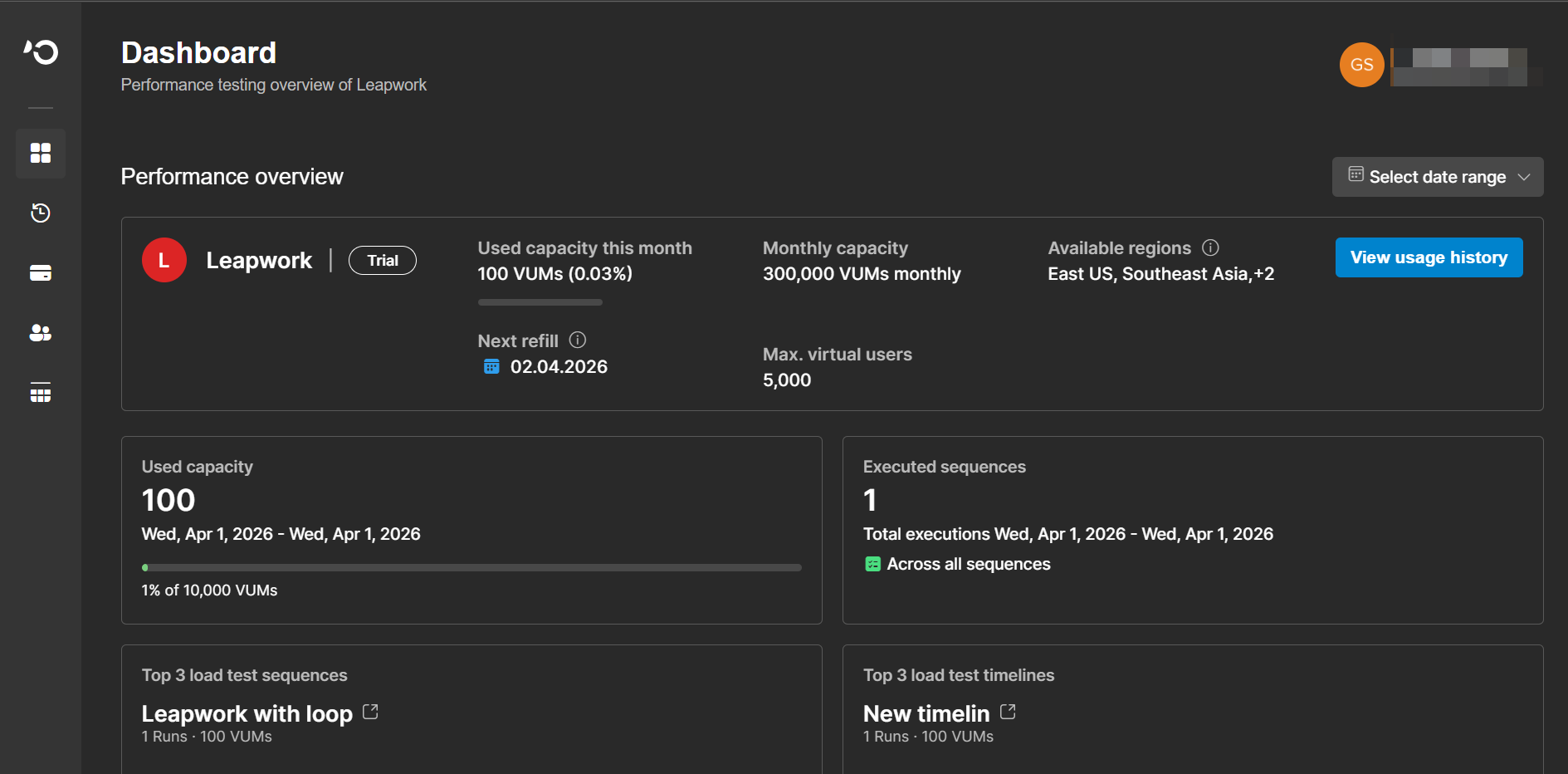
Introducing the Leapwork Performance Admin Portal
This release introduces the Admin Portal, providing administrators with a centralized place to manage licenses, capacity usage, user governance, and access control for performance testing. The portal includes dedicated License and Usage history pages, improved table readability, and refreshed navigation for a more streamlined administration experience. You can access the Admin Portal at https://admin.leapwork.ai
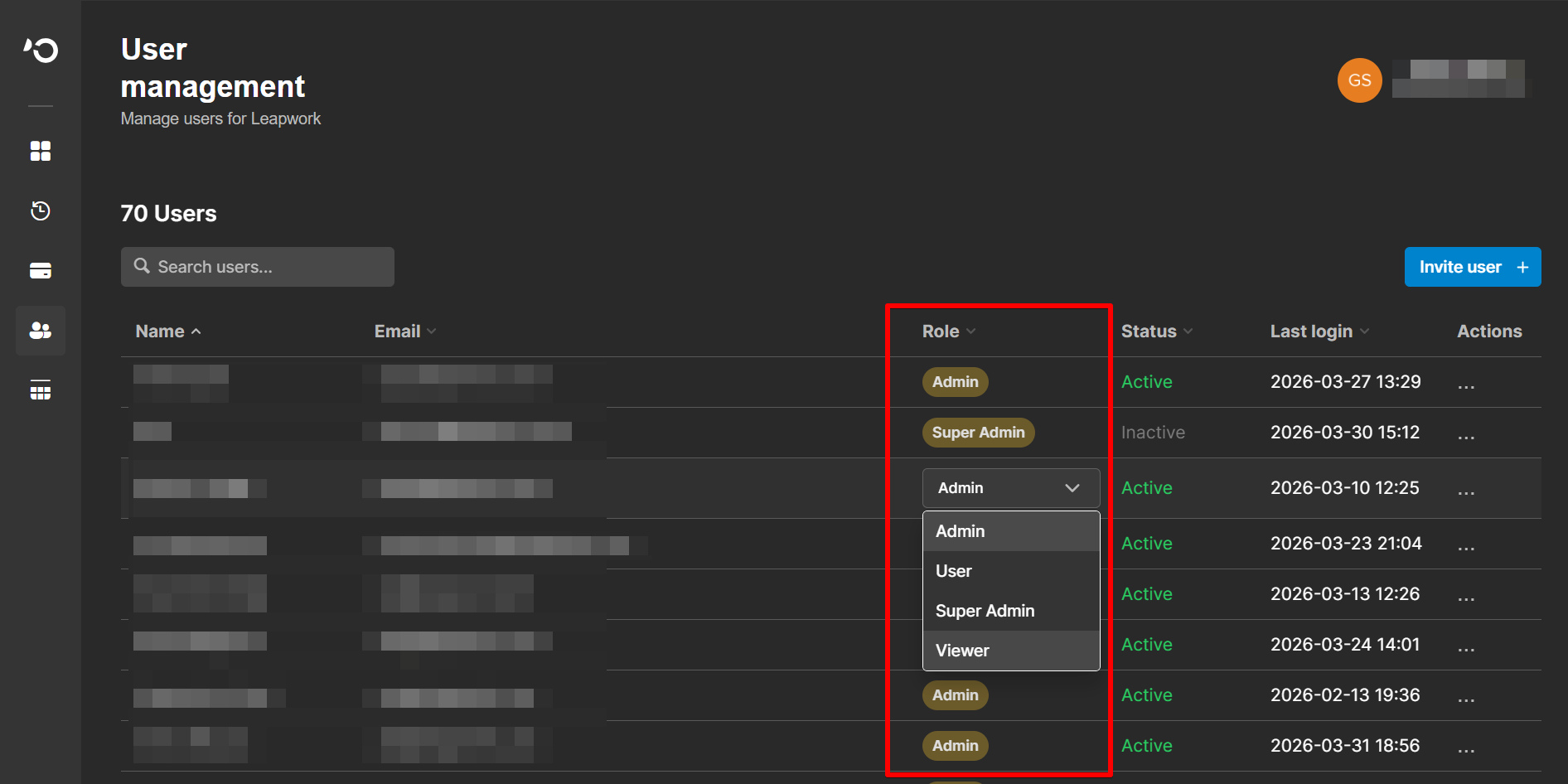
Role-based access control for Leapwork Performance
Leapwork Performance now supports role-based access control (RBAC), so you can control who can view, edit, and run assets across your organization. Dedicated roles in the Admin Portal let you separate day-to-day performance users from administrators, reducing the risk of accidental changes and helping you comply with internal access policies.
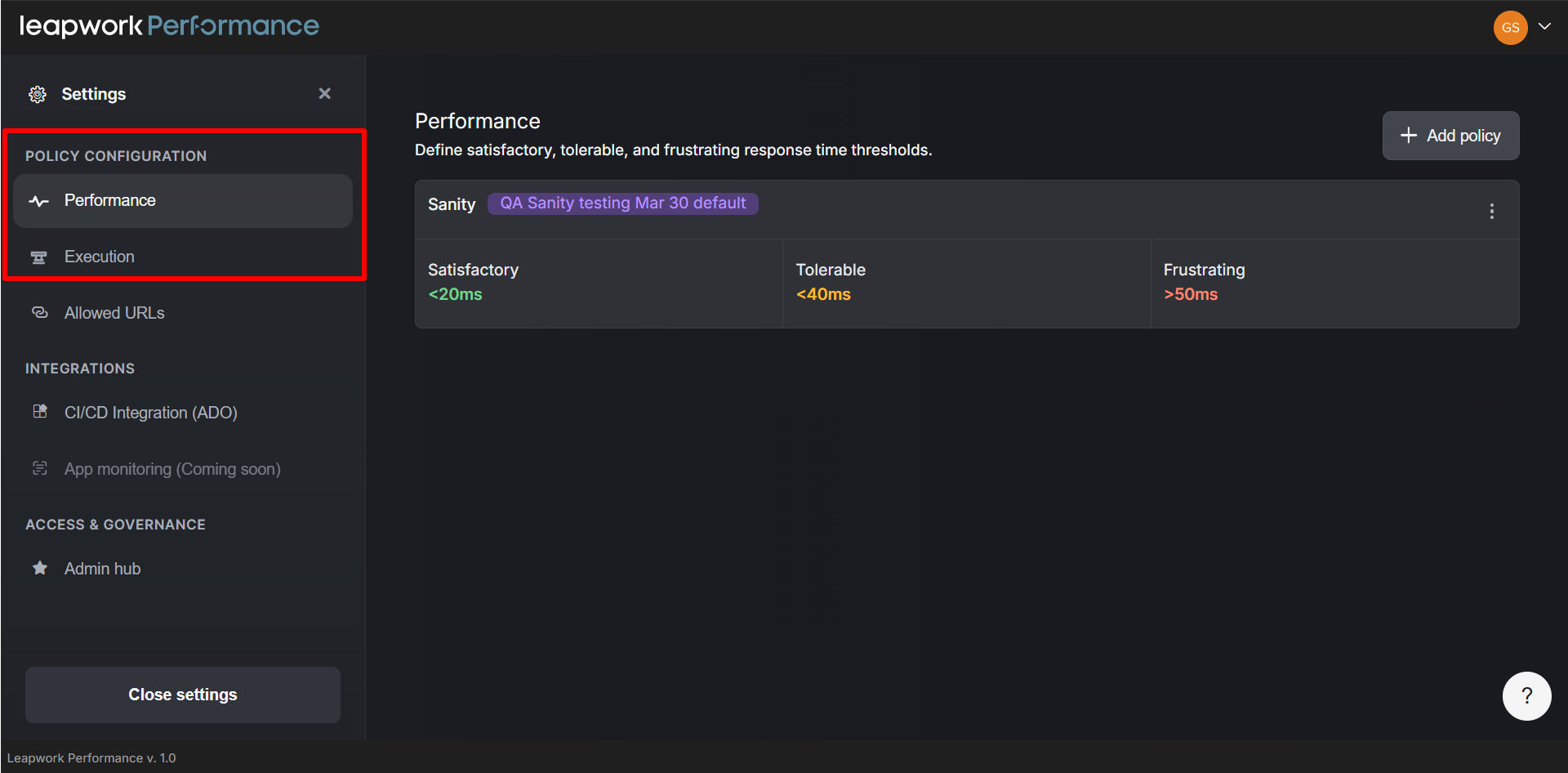
Global execution and performance policies
New global policy settings in the Leapwork Performance platform let you centrally control how executions behave across timelines and sequences. You can define default execution limits and performance policies once, then apply them consistently to all projects and assets.
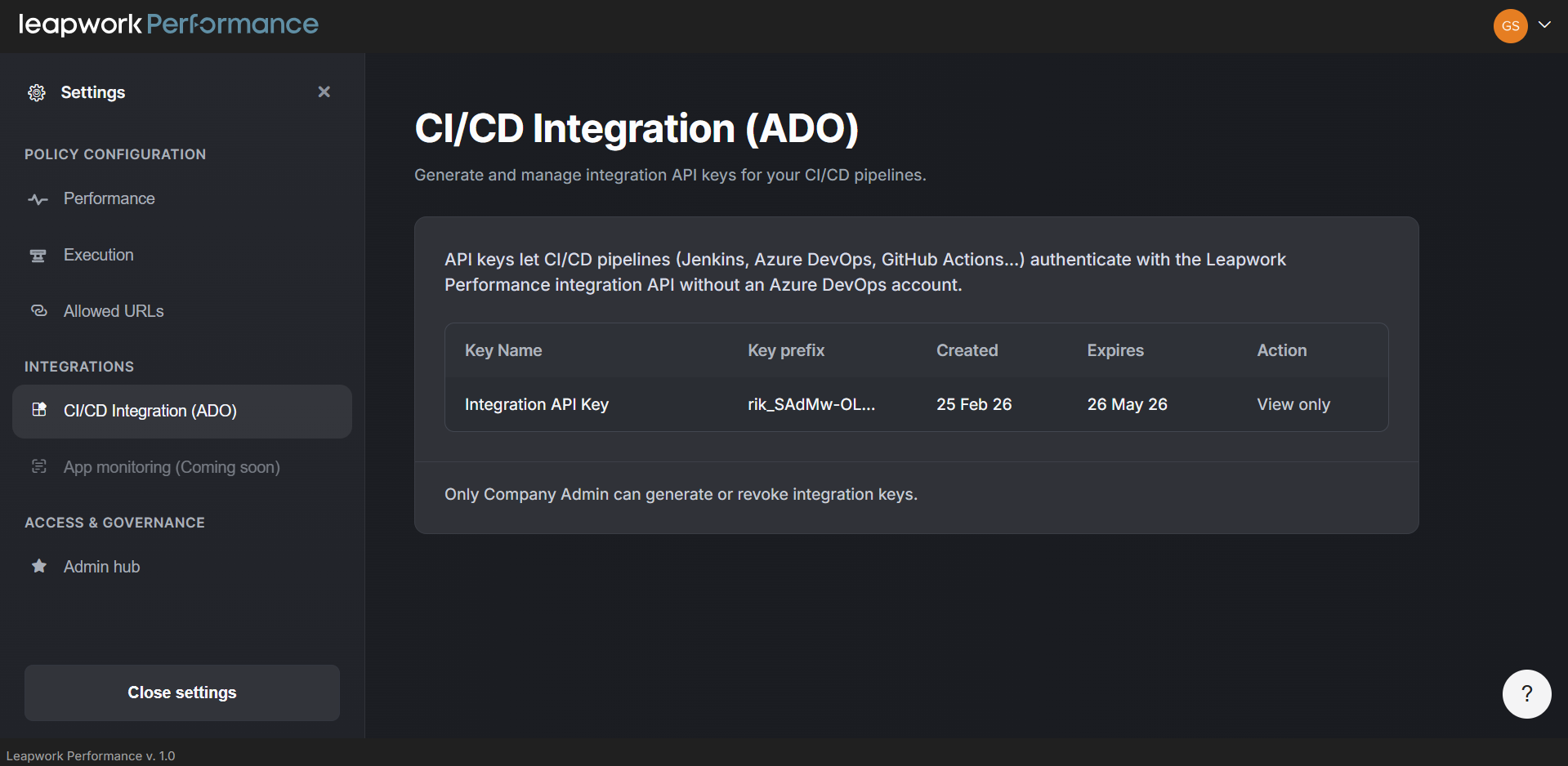
Central CI/CD settings for Leapwork Performance
You can now configure CI/CD settings from a single place in global settings. This makes it easier to connect with your pipelines and manage integration keys.
Bring your own certificate for the recorder
You can now bring your own TLS certificate for the Leapwork Performance recorder via the Admin Portal, aligning with your organization’s security and compliance policies. This lets you use certificates issued by your own PKI or certificate provider, so traffic inspection for recorded sessions follows the same standards as the rest of your environment.
Improved MFA handling and expanded authentication flows
Performance now supports more flexible authentication flows, including Auth0-based authentication and improved handling of MFA scenarios. This makes it easier to record and replay flows that rely on modern identity providers, reducing failures during login steps and improving the reliability of end-to-end performance scenarios.
Ask AI chat: Agent Mode and UI improvements
Ask AI chat now includes a mode selector with Ask Mode for Q&A and Agent Mode for creating, updating, and deleting assets. In Agent Mode, you can use natural language to manage timelines and sequences, with the chat guiding you through any missing details.
What’s updated
Global settings and allowed URL policy experience
The Allowed URL policy page in global settings has been updated with clearer layouts and controls, improving the configuration experience.
Improved run details and recording performance
The timeline detailed view on the Run results page has been redesigned for better clarity and usability.
Product branding and experience
The login, Admin Portal, and core Leapwork Performance experiences have been updated to align with the Leapwork brand, with refreshed visuals, navigation, and terminology. This creates a more consistent experience across performance testing, administration, and the wider Leapwork platform.
Bugs and Improvements
This release includes the following fixes to improve stability and reliability:
-
Fixed an issue where trial license details appeared instead of enterprise license details in the Admin Portal.
-
Fixed errors when opening exported usage history files in Excel format.
-
Addressed issues with MFA authentication and D365 Finance and Operations flows.
-
Fixed a bug where unnecessary user roles appeared in the Admin Portal’s user management dropdown.
-
Resolved problems restoring deleted assets and re-inviting deleted users in the Admin Portal.
-
Fixed issues editing URLs in Allowed URL Policy and improved error handling.
-
Improved reliability of timeline runs, sequence handling, and run result displays.
-
Fixed search, export, and pagination issues in audit logs and usage history tables.