
Overview
This Performance release continues to refine the day to day automation experience with more responsive timeline runs, clearer logging, and better control of HTTP steps. It also adds support for setting values directly from HTML responses and includes stability fixes.
What’s new
Set values from HTML responses in HTTP steps
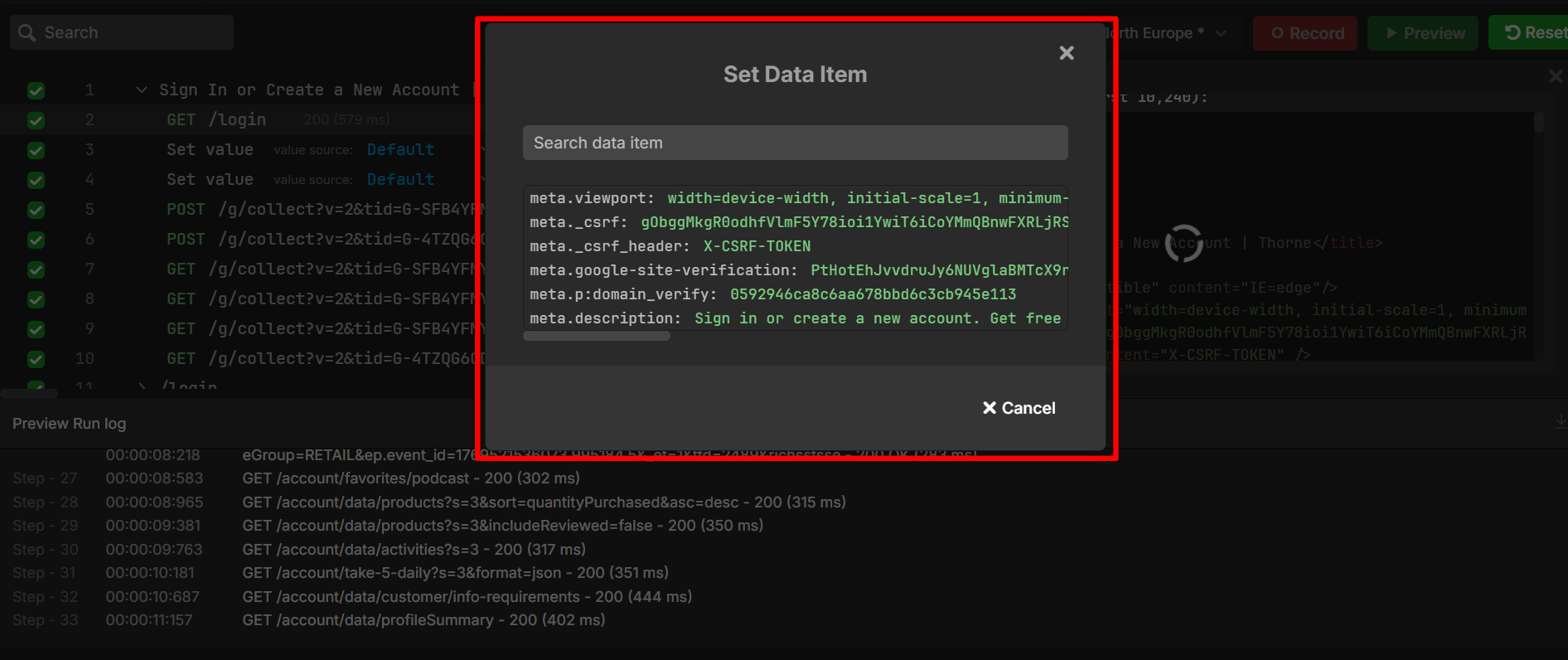
HTTP steps now let you set values directly from HTML responses. You can extract IDs, tokens, or status values from HTML content and reuse them in later steps without adding extra parsing tools.
This is especially useful when an upstream system returns HTML instead of JSON or XML, but you still need structured data to continue the flow. To inspect and extract values from an HTML response, see Use the HTML response editor in Performance. To learn how extracted values can replace hard-coded values in your sequence, see Parameterization in Editing sequences.
Timeline runs use SignalR (real-time updates)
Timeline runs now use SignalR for real-time updates. You see run progress and status changes in the timeline view as they happen, without refreshing the page.
This improves performance when you monitor long-running or complex scenarios, so live updates are faster and more stable during execution. When you investigate an issue while a run is executing, status changes appear immediately.
Custom naming for sequence steps
You can now change the display name of each step in a sequence, so performance and load test sequences are easier to read at a glance. Instead of showing only the method and URL, steps can be labeled by what they do for example Get user token, Post purchase order, and more.
What’s updated
Logging improvements
Logging is more focused on what you need to troubleshoot quickly. When a run fails or behaves unexpectedly, messages are clearer and provide better context about what went wrong.
For long or complex runs, logs are now more structured, so you can follow the sequence of events across steps without losing track.
Bug fixes
This release includes the following fixes to improve stability and reliability:
-
Fixed an issue where search matches in group names were counted but not visually highlighted, so you now see consistent highlighting across all matching items.
-
Fixed a preview run issue where APIs in later sections could start before earlier APIs had finished, ensuring sections execute in the correct order.
-
Fixed a timeline execution issue where steps after the first could fail unexpectedly, so all steps in a track now run as intended.
-
Fixed an issue where the elapsed time on a running timeline was not updating, so you now see accurate run duration while the timeline executes.