
The C# Code block lets you run custom C# logic that is not directly available through standard LEAPWORK building blocks, for example parsing a JSON object or reading values from XML. This block is useful when a scenario is easier to solve through code than by combining standard blocks.
Fully expanded, the C# Code block shows the following properties:
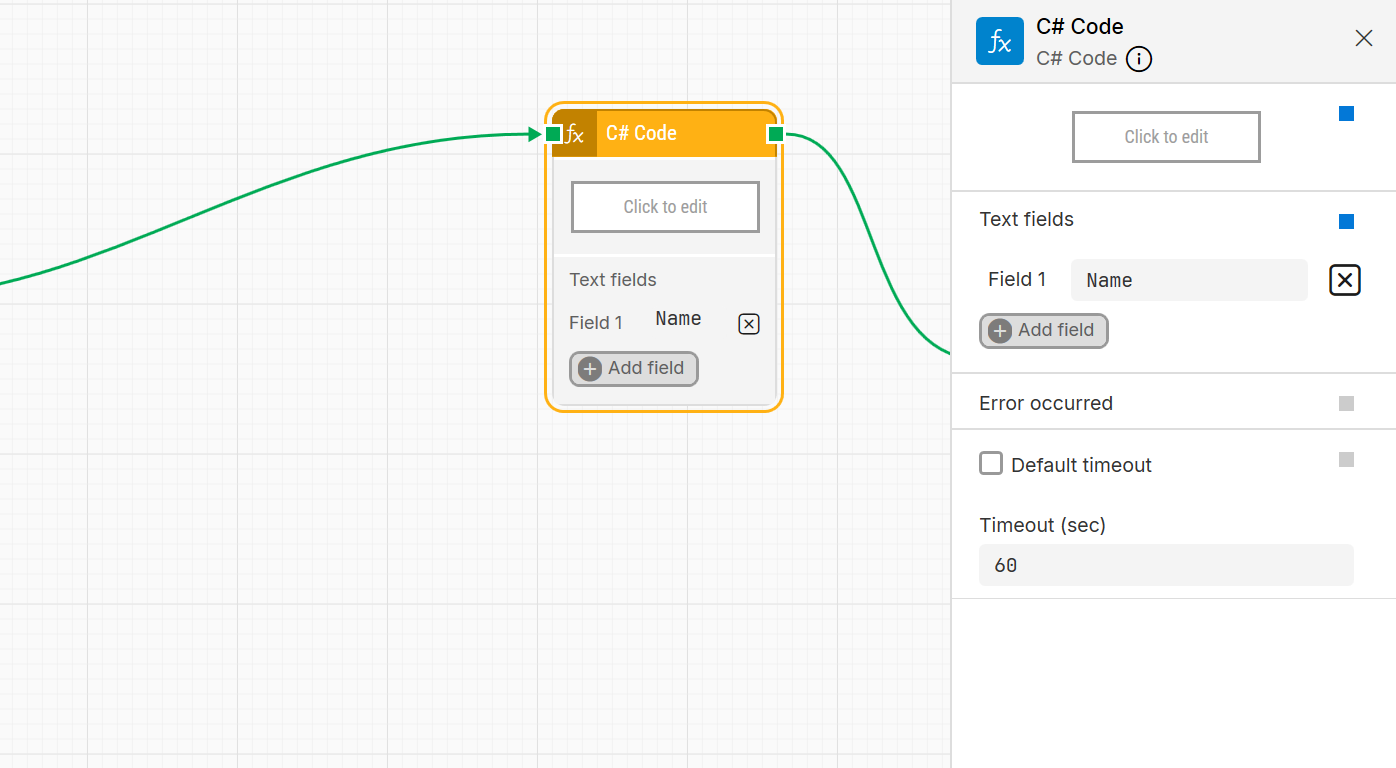
Note: The screenshot on this page uses the 2026.1 version. If you are using an earlier version, your layout may look different.
Quick-start
-
Drag C# Code onto the canvas.
-
Connect the block in the flow and optionally specify the basic parameters required for this block to operate, listed by their exact UI labels in one line: Click to edit, Text fields, Default timeout, Timeout (sec). For details on how to work with the editor modal, see
-
Run the flow when it’s ready.
Building block parameters
Using the editor tabs
Source code
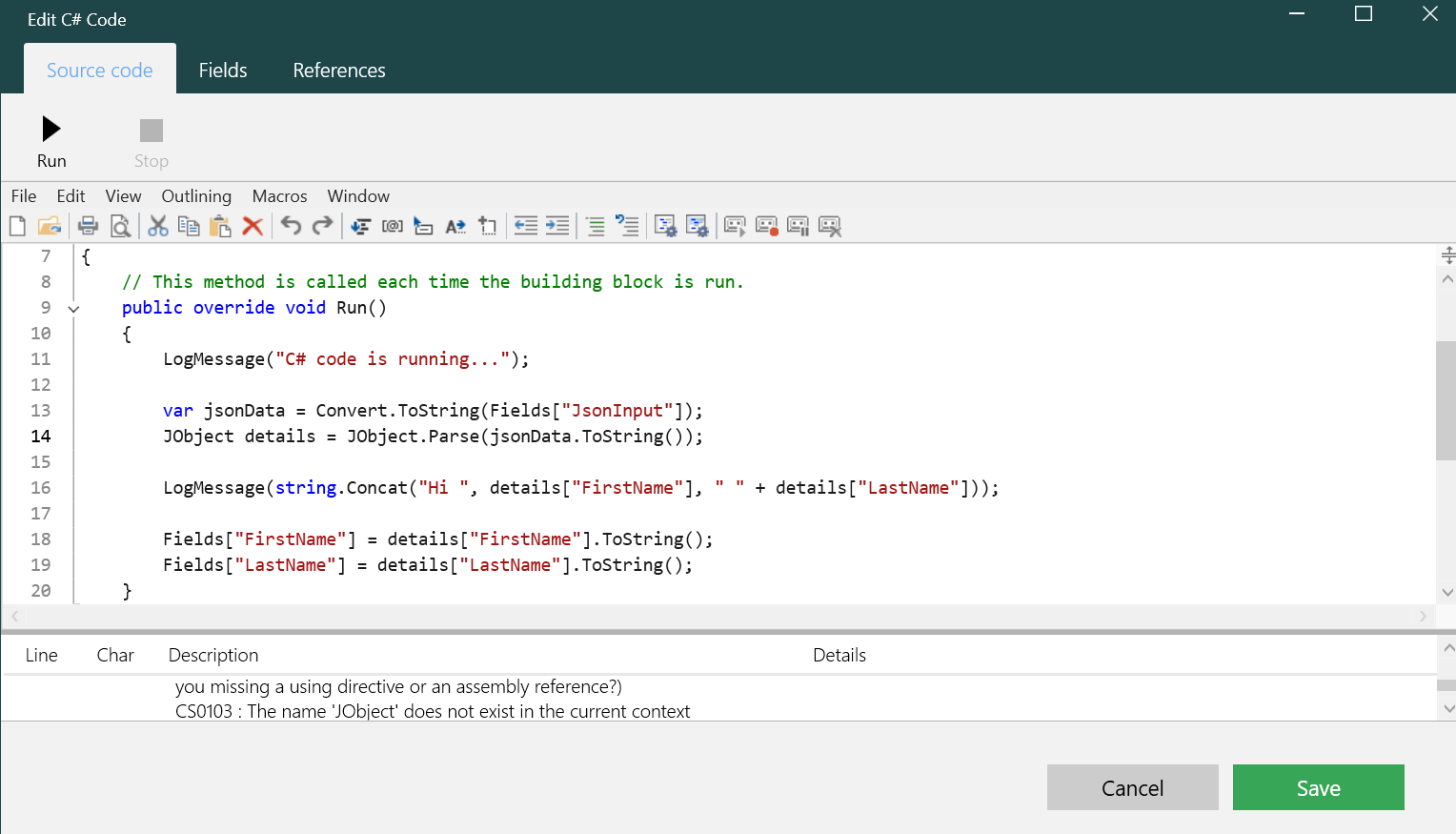
Use this tab to write the C# logic. Select Run to compile and execute the code. If you need to debug, you can add multiple LogMessage() calls and run the code to inspect intermediate values.
Fields
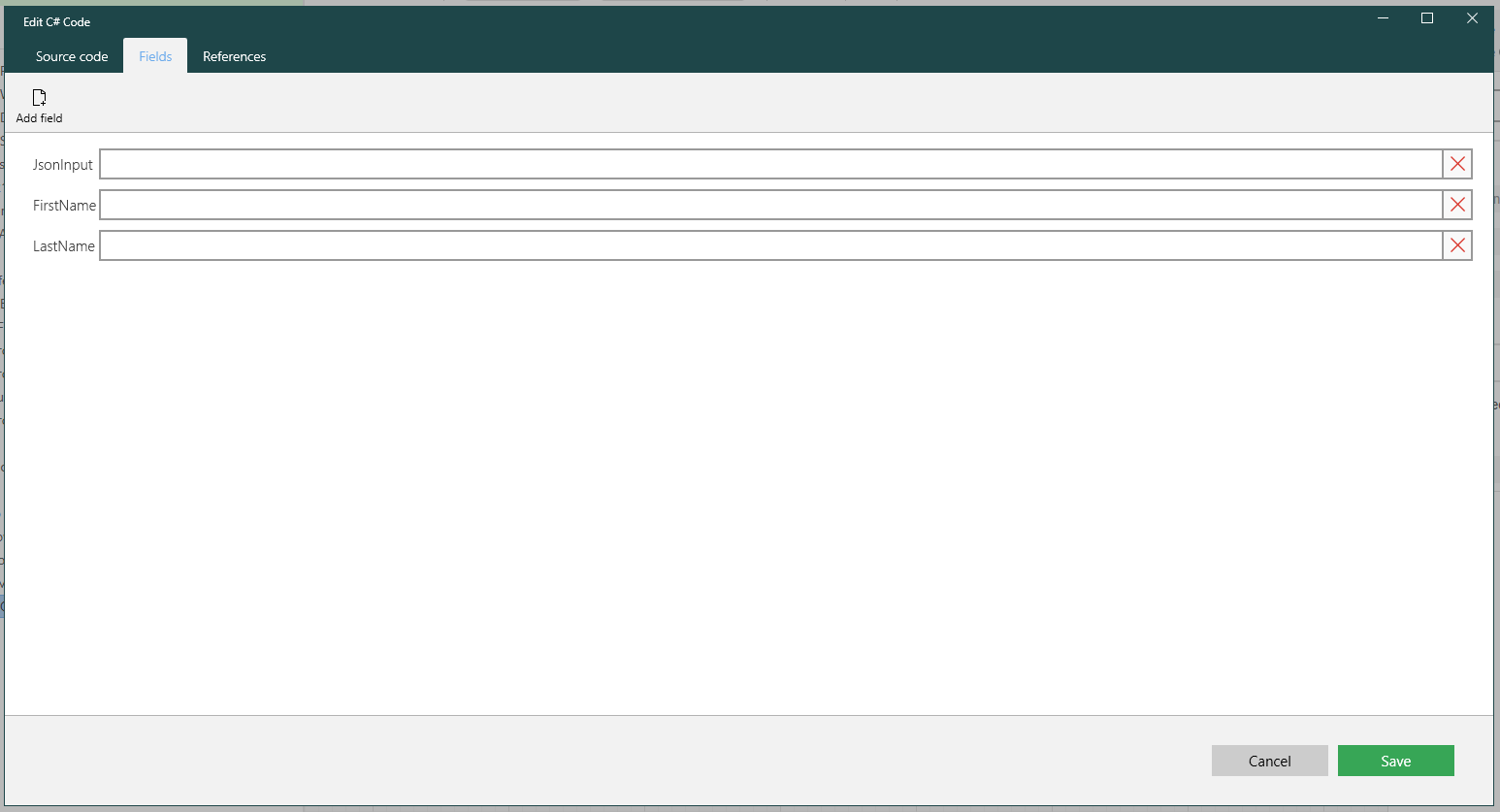
Fields are used to provide input and output data from code. You create them in the block’s Text fields parameter and they appear in this tab for review and editing. In code, they are available through a dictionary structure and can be collected and type cast as needed.
References
Before writing code against an external component or connected service, the block must include a reference to it. Use this tab to add external references or dependencies. For example, parsing JSON may require adding Newtonsoft.Json.dll.
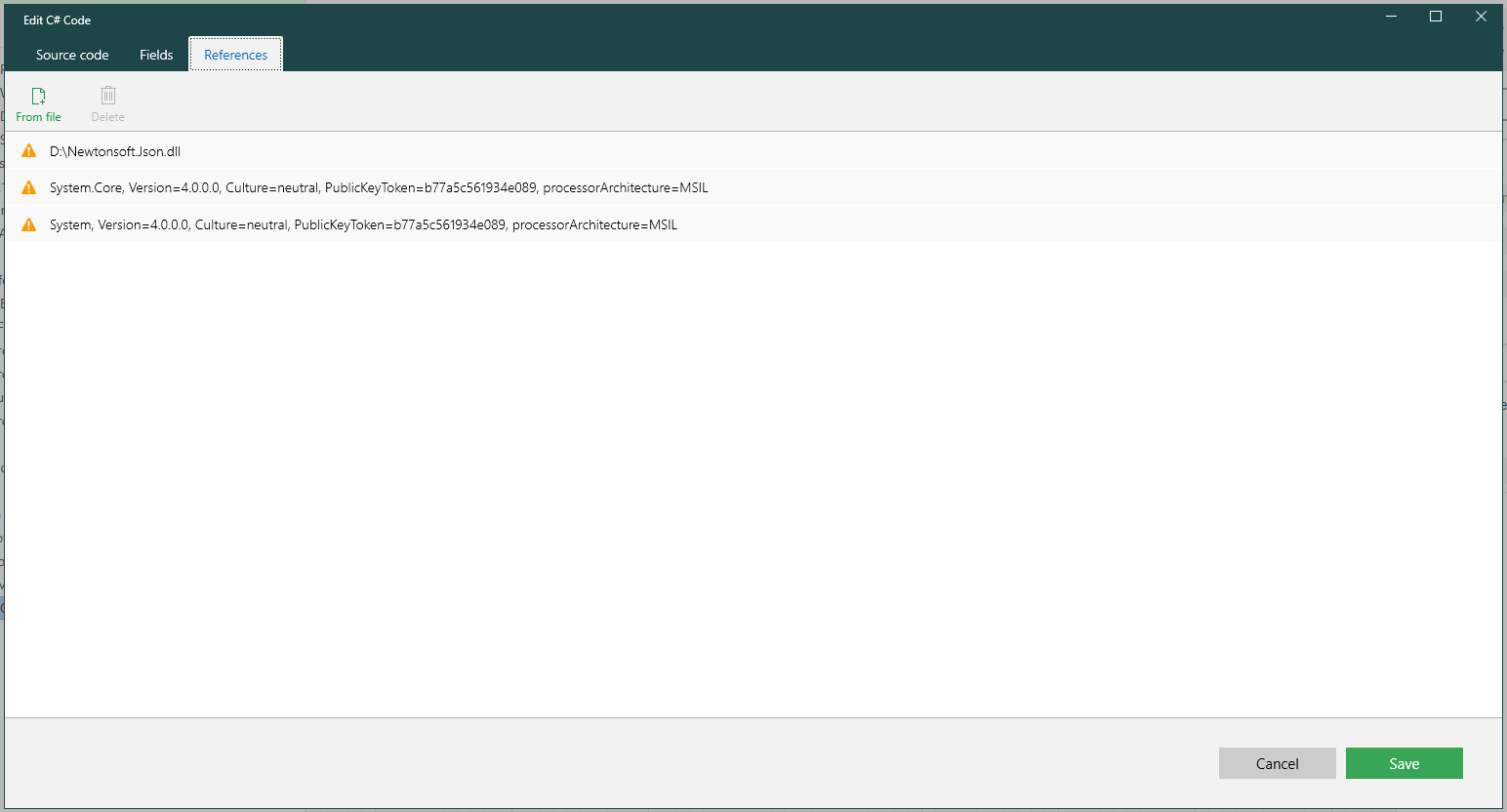
You can add references in the following ways:
-
From file – Browse and add a specific DLL file manually.
-
GAC (up to 2025.2 only) – Add files from the Global Assembly Cache when available. GAC is not supported in .NET 8 and is no longer available starting 2026.1.
-
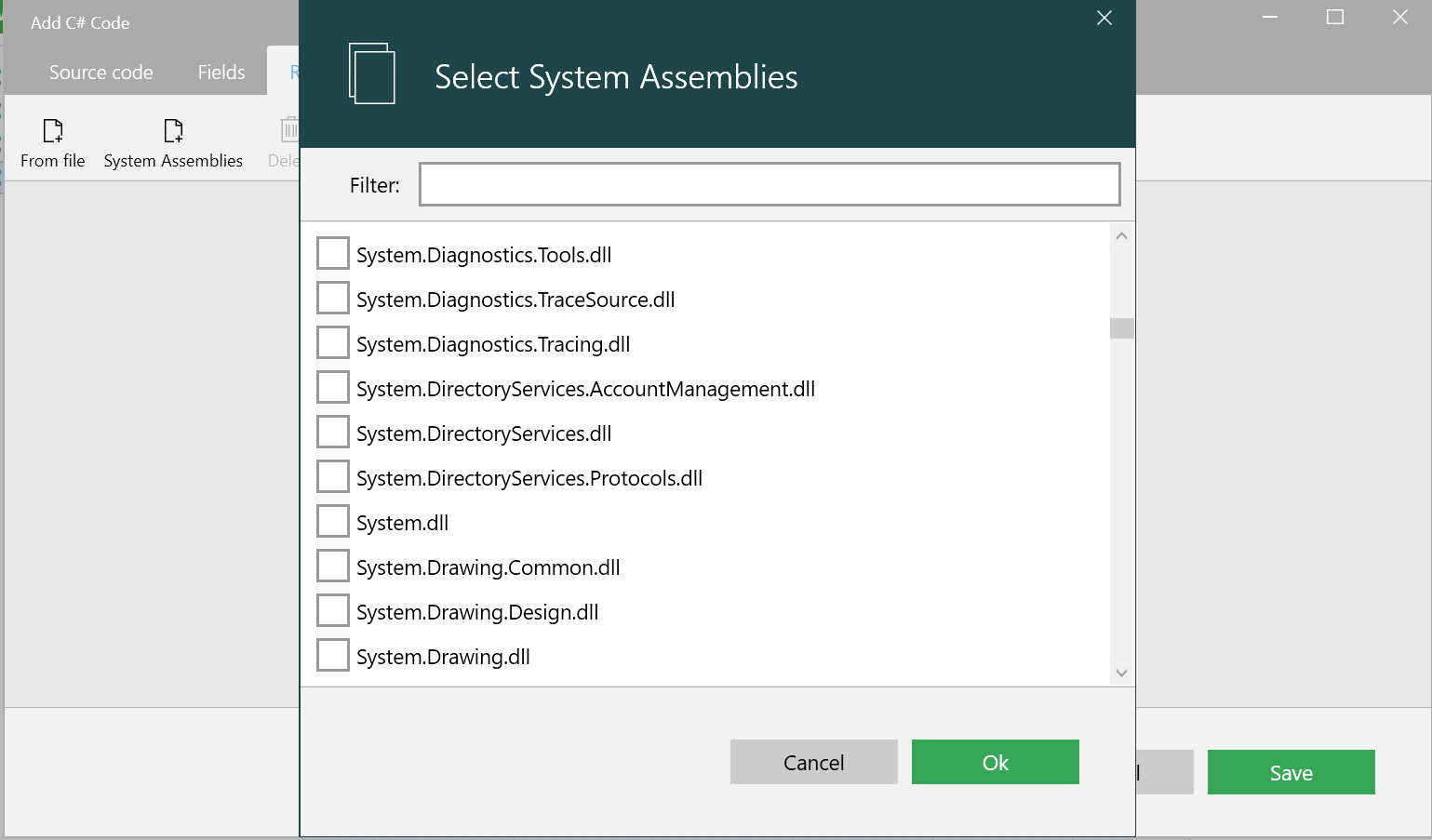
System Assemblies (2026.1+) – Select from a list of .NET 8–compatible system libraries bundled with the LEAPWORK installation. This option replaces GAC.
System Assemblies (2026.1+)
With the migration to .NET 8, Global Assembly Cache (GAC) is no longer supported. The System Assemblies option under the References tab lets you add common system libraries directly, without manually locating DLL files.
-
Open the C# Code block editor and go to the References tab.
-
Click System Assemblies and use the filter to find the required DLL.
-
Select one or more libraries and click OK, then Save.
To remove a system assembly, deselect it in the System Assemblies dialog (or delete the reference from the list) and click Save.
Examples
Use JSON_XML_Parser.zip as a reference package. The zip contains two sample flows that demonstrate how to parse JSON and XML using the C# Code block.
Import the package and reuse or adapt the flows for your own scenarios.
Note: This package can be imported into the same LEAPWORK version it was created in, or any newer version. Importing into older versions may fail due to compatibility differences between releases.
Resources
|
Topic |
Description |
|---|---|
|
Common questions about creating, running, and managing flows in Leapwork. |
|
|
Guidelines and solutions for identifying and fixing issues that occur when building or running flows in Leapwork. |