
The Click Web Element block simulates a user click on an element in a Salesforce web application, such as a button, tab, or item in a grid or list. The block is created automatically by the Salesforce Fusion Recorder when you click an element during recording. When executed, the target element is scrolled into view and clicked.
This block only works in browser windows that were launched using the Salesforce Login block or within an active Salesforce recording session.
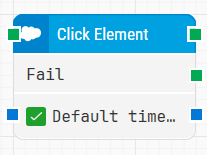
Note: The screenshot on this page uses the Elegance Design, introduced in 2025.3. If you are using an earlier version, your layout may look different.
Quick-start
-
Start the Salesforce Fusion Recorder and record your scenario. When you click a target element in the Salesforce UI, a Click Web Element block is automatically added to the recording flow.
-
Save and close the Fusion Recorder so the recorded flow, including the Click Web Element block is converted into a Flow flow.
-
Run the flow from Flow when it’s ready.
Building block parameters
Resources
|
Topic |
Description |
|---|---|
|
Frequently asked questions about Salesforce |
|
|
How to use the Salesforce Fusion Recorder |