
The Salesforce Set Panel State building block expands or collapses UI sections (such as menus or panels) in a Salesforce application. It is automatically created when you interact with expandable elements during recording using the Salesforce Fusion Recorder. This block works only in browser windows launched using the Login block or within the current Salesforce recording session.
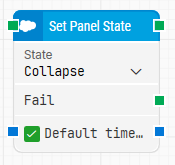
Note: The layout shown in some documentation is part of the Elegance Design, introduced in Leapwork 2025.3. Earlier versions may display a different layout.
Quick-start
-
Drag Set Panel State onto the canvas.
-
Connect the block in the flow and specify the basic parameters required for this block to operate: State.
-
Run the flow when it’s ready.
Building block parameters
Resources
|
Topic |
Description |
|---|---|
|
Common questions about creating, running, and managing flows in Leapwork. |
|
|
Guidelines and solutions for identifying and fixing issues that occur when building or running flows in Leapwork. |
|
|
Frequently asked questions about Salesforce |
|
|
How to use the Salesforce Fusion Recorder |