
Overview
Fusion blocks (D365 F&O and Salesforce) now support Await DOM Change and Await Requests properties at the flow level. These settings help handle synchronization issues in dynamic web applications by waiting for the page to stabilize before executing the next Fusion action.
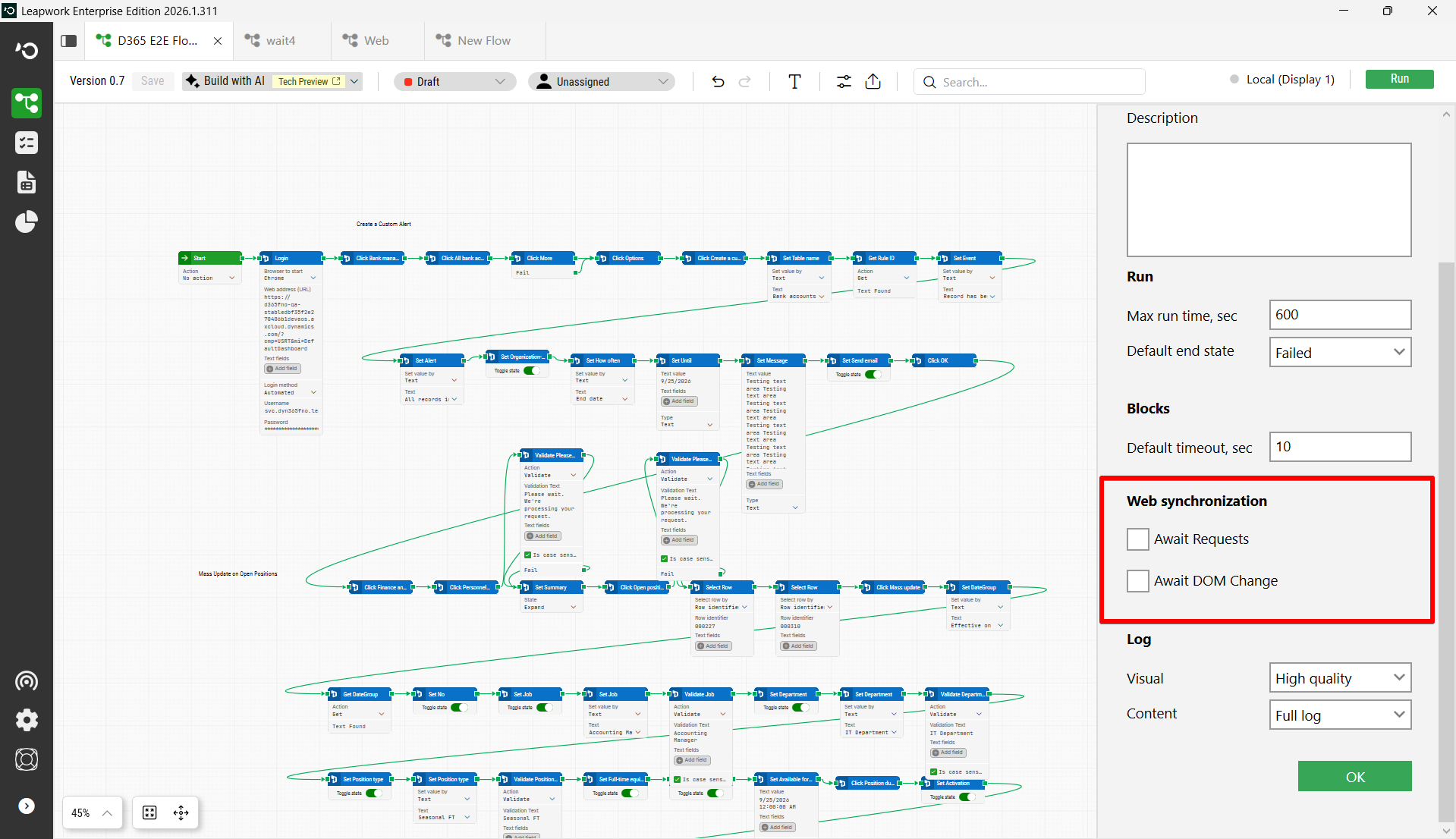
What Each Setting Does
Await DOM Change
Waits for all DOM changes on the page to settle before proceeding.
-
Implemented using Chrome DevTools Protocol DOM events.
-
The extension subscribes to DOM mutation-related events and resets an idle timer whenever relevant DOM activity is detected.
-
If no relevant DOM changes occur for the configured timeout period, the DOM is treated as settled.
-
DOM changes within the recorder UI are ignored so that only changes in the target application affect page-idle detection.
-
If the DOM never settles, the wait eventually times out.
Await Requests
Waits for network activity to become idle before proceeding.
-
Implemented using Chrome DevTools Protocol network events.
-
The extension listens for browser network activity and tracks in-flight requests. This wait is limited to Fetch and XHR request types it does not represent all possible browser traffic.
-
The page is considered request-idle when there are no tracked in-flight requests for the configured idle timeout period.
-
If request activity never settles, the wait times out rather than waiting indefinitely.
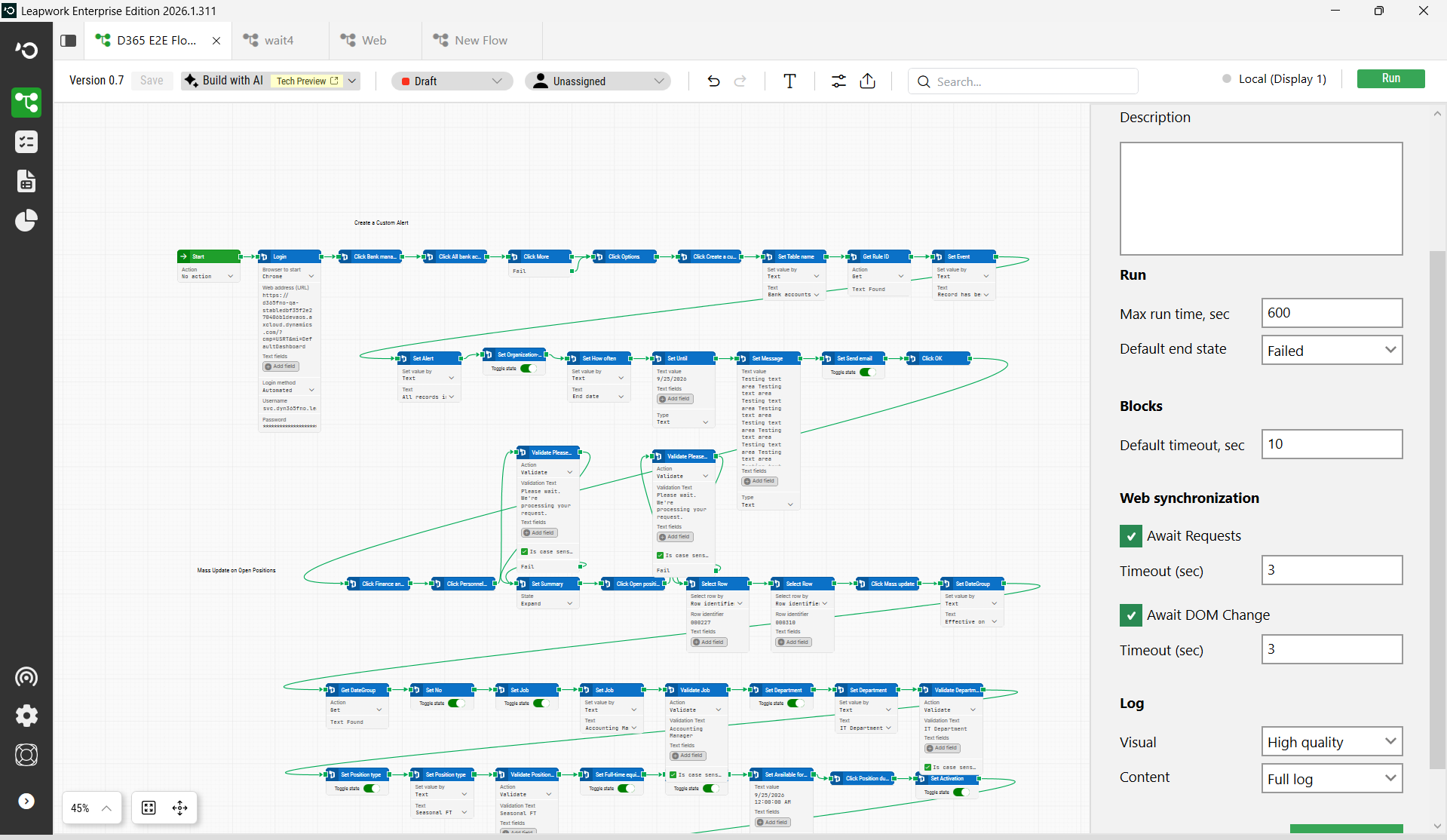
When to Use These Settings
These settings are useful in scenarios where UI responsiveness depends on background processing. Examples include:
-
Buttons remaining temporarily disabled due to ongoing backend processing
-
Processing/loading overlays in Dynamics 365 Finance & Operations
-
Delayed rendering of controls after page updates
-
Grid refreshes (e.g., while filtering) where no row selection takes place until data loads
-
Dialogs or forms that become interactive only after API/network completion
-
Cases where UI actions are attempted before the application becomes stable
For D365 F&O specifically, Await Requests will generally be the most useful option because asynchronous requests drive many UI state changes.
How They Work in Fusion (Key Differences from Web Blocks)
In Fusion space, Await Requests and Await DOM Change are handled inside the Chromium extension layer, not through the classic Web block await implementation.
Key behaviors:
-
The await settings are passed when the browser session is started and stored by the extension for later use during Fusion block execution.
-
Before most Fusion actions are executed, the extension checks whether request waiting, DOM waiting, or both are enabled, and performs the relevant pre-execution wait.
-
Default Timeout controls the overall Fusion block execution budget. Await Requests and Await DOM Change control the idle-wait behavior within that budget.
-
The Default Timeout acts as a hard ceiling for the entire Fusion block execution. If the configured await timeout (Await Requests or Await DOM Change) is longer than the Default Timeout, the block will fail when the Default Timeout expires, regardless of whether the await condition has been satisfied. The await operation is cut short, it does not run to completion.
-
Await Requests and Await DOM Change have a default max wait cap of 25 seconds in the extension watcher layer.
Web Blocks vs. Fusion Blocks Comparison
|
Behavior |
Web Blocks |
Fusion Blocks |
|---|---|---|
|
Where await runs |
Core engine (pre-execution step) |
Chromium extension layer |
|
Relationship to Default Timeout |
Separate await phase does not clip Default Timeout and can outlive it |
Consumed from within Default Timeout budget |
|
Configuration level |
Block-level supported |
Flow-level only (applies to all Fusion blocks) |
|
Request types monitored |
All network requests |
Fetch and XHR only |
|
Await settings available |
Block level |
Flow level |
Using Both Settings Together
Both settings can be enabled simultaneously. When both are enabled:
-
The extension starts both watchers and waits until both conditions are satisfied request activity must become idle and DOM mutation activity must also become idle.
This is useful in scenarios where:
-
Network requests complete, but UI continues rendering afterward
-
The UI keeps changing even after requests have finished
Configuration Level
Currently, Await Requests and Await DOM Change are supported only at the flow level in Fusion and apply globally to all Fusion blocks within the flow.
Increasing the Maximum Timeout
The default maximum timeout for both settings is 25 seconds. This can be changed in the extension configuration files located at:
-
C:\Program Files\Leapwork\Studio\HeadlessRecorder\Extensions\Chrome -
C:\Program Files\Leapwork\Studio\HeadlessRecorder\Extensions\Edge
Configuration values (in config.json) are specified in seconds.:
"awaitRequests": 5,
"awaitDom": 5
If you increase awaitRequests or awaitDom to 30 seconds or more, increase the corresponding Default Timeout as well. Otherwise, the Fusion block may time out before the await operation completes. If these values are increased to 30 seconds or higher, the corresponding block timeout / default timeout should also be increased accordingly to avoid block timeout failures.