
Storage Overview explains how Leapwork handles files, assets, and connections used in your automation flows.
In Leapwork Flow 2026.1, storage is designed to support cloud-first automation. You can centralize assets so that run agents and teams can access what they need, while administrators stay in control of performance and governance.
This feature is currently available for cloud agents only and is not supported for local agents.
Use this article to understand:
-
Where Leapwork stores assets such as files and data sources.
-
How Storage-as-a-Service works in 2026.1.
-
What to consider when moving to a centralized, service-based storage model.
What does Leapwork store?
Leapwork uses storage for several types of assets:
-
Flow definitions
The flows and sub-flows you design in Flow. -
Attachments and assets
Files referenced in flows, such as:-
Test data files.
-
Document templates.
-
Supporting configuration files.
-
-
Screenshots and logs
Artifacts generated during runs, including:-
Screenshots captured by screenshot blocks.
-
Screenshots captured during failures.
-
Log files and run details.
-
-
Connections and configuration
References to:-
Databases.
-
External services.
-
Third-party platforms used in your automation.
-
In 2026.1, you can manage these assets more centrally through Storage-as-a-Service.
Storage-as-a-Service in 2026.1
As test automation moves to the cloud, it becomes important to keep assets close to the environments where they are used.
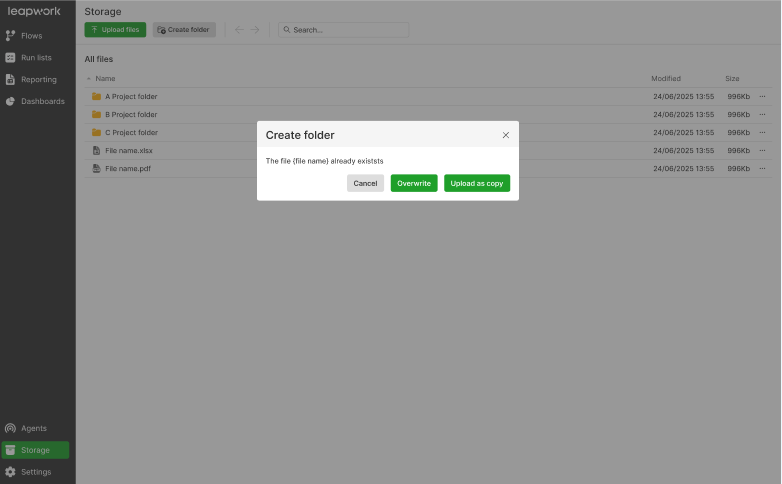
Storage-as-a-Service in Leapwork 2026.1 is designed to:
-
Provide central access to scripts, data files, and database connections.
-
Support cloud and hybrid deployment models.
-
Make storage behavior more predictable across agents and environments.
From a user perspective, you continue to work with flows, data, and connections through Flow. The underlying storage is handled by the service defined by your administrator.
How Storage-as-a-Service works
At a high level:
-
Your administrator configures a storage service for Leapwork.
-
Flows, assets, and run artifacts are stored in the configured storage location.
-
Authorized users and agents retrieve the assets they need at run time.
This approach reduces dependency on local file shares or one-off storage locations tied to specific machines.
The exact configuration depends on your environment and deployment model. For example:
-
On-premises controllers can point to managed network storage.
-
Cloud-based deployments can use cloud storage services.
Working with files in flows
From a designer’s point of view, working with files in flows remains familiar.
You use blocks such as:
-
Read Excel and Write Excel
-
Save File and Set File
-
Compress File and Convert to PDF
When you reference files:
-
The paths and locations are resolved through the configured storage service.
-
Agents running flows can access the same assets, as long as they have permission to use the storage location.
This reduces issues where flows fail because an agent cannot reach a file that exists only on a local machine.
Benefits of centralized storage
Storage-as-a-Service brings several practical benefits:
-
Consistent access to assets
Flows run reliably across different agents and environments when they reference centrally managed storage. -
Simpler maintenance
You do not need to maintain separate file shares for each team or environment. -
Support for cloud strategies
Assets can move closer to cloud-based systems under test, reducing latency and complexity. -
Better governance
Administrators can apply policies to how long artifacts are stored, and which teams can access which locations.
Planning your storage strategy
When adopting Storage-as-a-Service, consider:
-
Where your agents run
Ensure the storage endpoint is reachable from all agents and controllers. -
Which assets must be shared
Decide which files need to be available to all teams and which can be isolated. -
Retention and cleanup
Combine storage planning with retention policies for run artifacts and audit logs, so storage does not grow without control. -
Security and compliance
Work with your security team to confirm that storage choices comply with your organization’s policies.
Troubleshooting storage-related issues
If flows behave differently across environments or agents, check:
-
Whether the storage service is configured correctly on the controller.
-
If agents have network access to the storage endpoint.
-
Whether the file paths used by flows align with the storage configuration.
-
If any retention policies have removed files earlier than expected.
Contact your administrator if:
-
You see repeated failures related to missing files or inaccessible locations.
-
You need to onboard a new storage location for a project.