
For the Enterprise Edition, starting from the 2020.1 release, the advanced scheduler is expanded with a calendar overview of your Agents usage - both past and future - to help you plan better and understand resource utilization in minute details.
-
It uses the calculated estimated run time for each run list, so it’s easy to understand which Agents are expected to be busy or free at a given time in the future.
-
When runs take longer than expected, the scheduling assistant shows a quick calendar view of how run lists are queued on each Agent.
-
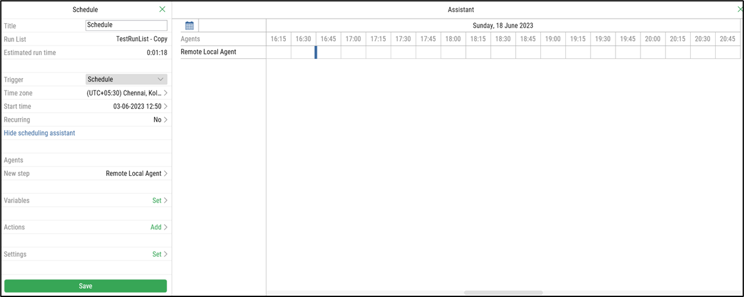
The Scheduling Assistant menu opens up when you click on “Open Calendar View” from the Agents section:
-
It contains a list of available Agents and a calendar view. Here you can see all booked schedules on each Agent - future and past:
-

-
You can view your new schedule and plan when it should run.
Note: The Scheduling Assistant feature is only available in the Leapwork Enterprise Edition.