
The Hover Electron Position block is used in Electron UI automation to move the mouse pointer to a specific position in an Electron application window without clicking. It is typically used to trigger hover states such as tooltips, menus, or visual highlights.
When fully expanded, the following is an example of the Hover Electron Position block:
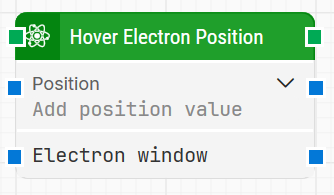
Note: The screenshot on this page uses the Elegance Design, introduced in 2025.3. If you are using an earlier version, your layout may look different.
Quick-start
-
Drag Hover Electron Position onto the canvas.
-
Set the Position (required) and optionally specify Electron window if you need to target a specific Electron window.
-
Run the flow when it’s ready.
Building block parameters
Resources
|
Topic |
Description |
|---|---|
|
Common questions about creating, running, and managing flows in Leapwork. |
|
|
Guidelines and solutions for identifying and fixing issues that occur when building or running flows in Leapwork. |
|
|
Guidance and solutions for diagnosing and resolving issues related to Electron-based automation and environments |