
Leapwork stores all data, called Assets, encrypted in an embedded SQLite database. A Controller needs a decryption key to access the database.
Restoring a Leapwork system may involve creating a new Controller machine. To access the restored SQLite files, you need the decryption key.
When Leapwork Flow first connects to a Controller without a license key for the SQLite files, it prompts you to enter a valid decryption key.
Therefore, keeping the decryption key safe is crucial to your backup and restore strategy.
Getting the Decryption Key
Users with Administrator privileges can access the decryption key on the Controller.
-
Go to the Controller settings sections inside Settings
-
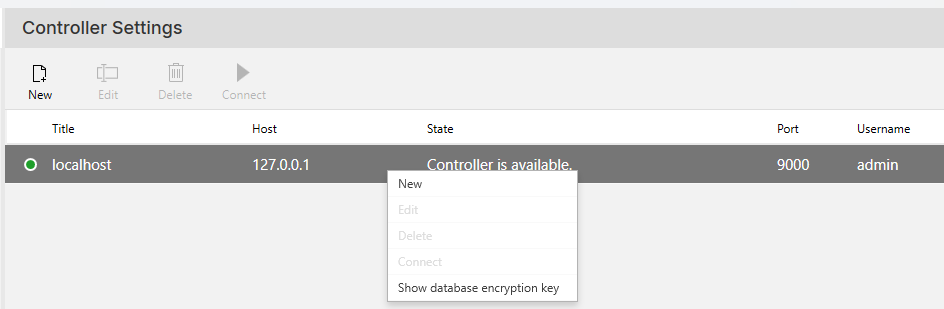
Right click on the Controller instance you want to access:
-
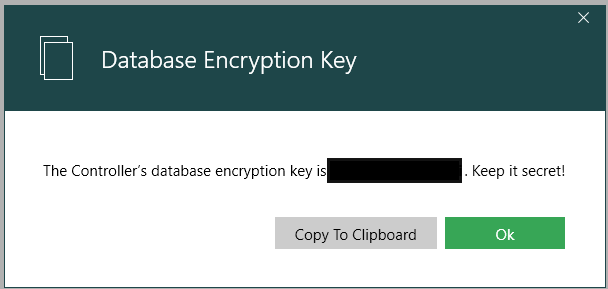
Select Show database encryption key to find the key for accessing the database files.
Notes:
-
The key is generated and stored in your Controller instance.
-
It is not visible or accessible to Leapwork staff, so they cannot help retrieving it.
-
Each Controller instance has a unique key. To obtain the key for all Controllers in your environment, repeat the instructions for each instance.