
Retention policies in Leapwork manage the growing data from automation flows, ensuring optimal disk space use on the Controller machine.
Note: These settings are only available when you’re logged in as an administrator.
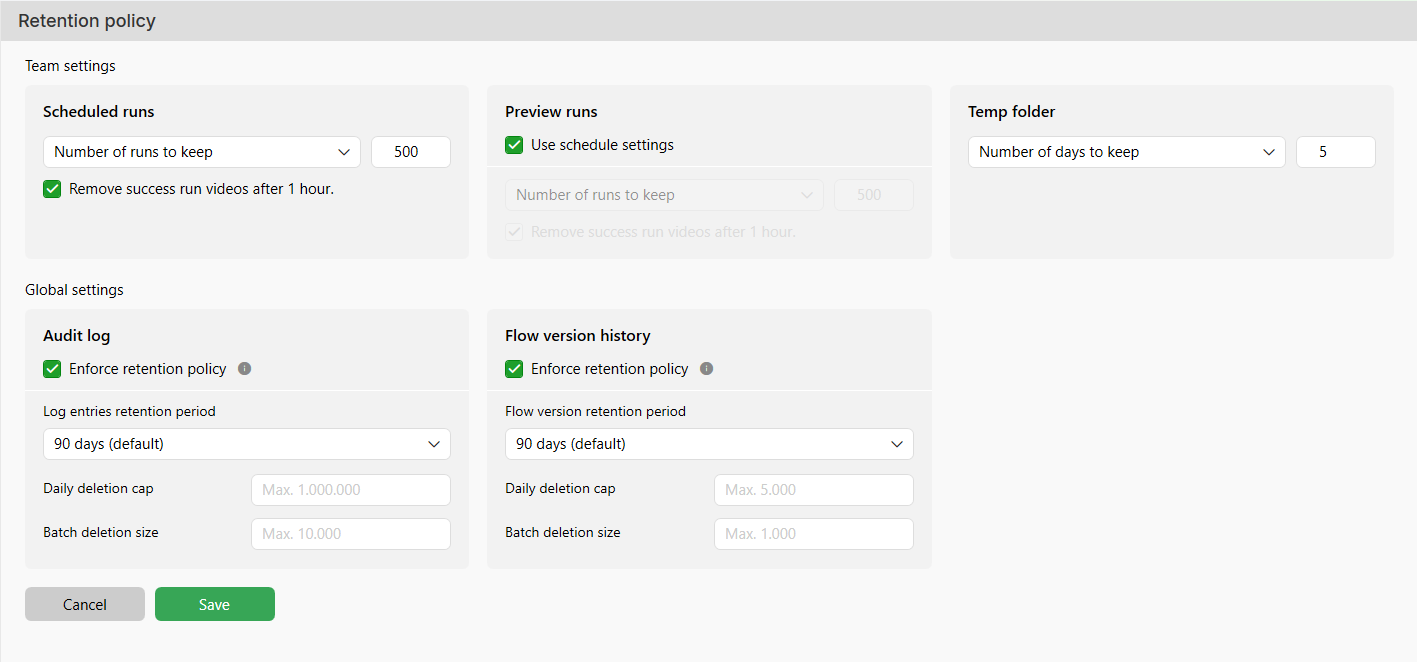
Scheduled Runs Policy
This policy applies to flows executed via schedules. Administrators can define how long results and videos from scheduled flows should be retained. The available settings allow you to manage retention in the following ways:
-
By Days: Specify how many days flow results should be retained.
-
By Number of Runs: Limit the total number of flow results stored in the system.
When selected, the Remove success run videos after 1 hour checkbox automatically deletes videos of successful scheduled runs one hour after completion, optimizing disk space usage.
Recommendation: Configure retention policies according to your automation run frequency to balance storage and data availability.
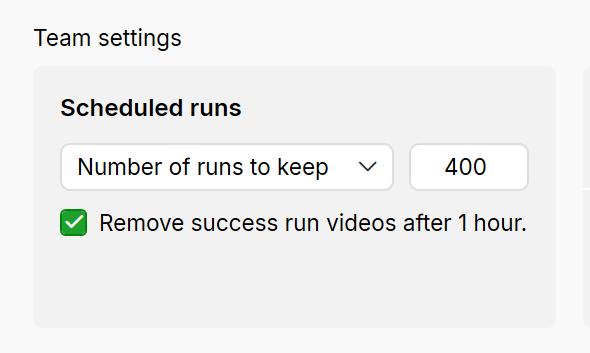
Configuration scope: Team-level. Settings are configured per team, and each team can define its own retention policy.
Preview Runs Policy
This option is specifically designed for flows executed manually, without an initial schedule.
-
This allows administrators to manage the retention of video recordings for these on-the-spot runs independently of scheduled runs.
-
The behavior of Preview Runs depends on whether the Use Schedule Settings checkbox is selected:
Checked: The retention settings for Preview Runs will inherit the configurations defined for Scheduled Runs.
Unchecked: You can configure separate retention settings for Preview Runs, but the options available (for example, the number of days or total results retained and the "remove success run videos after 1 hour" checkbox are the same as those for Scheduled Runs.
Recommendation: Keep videos of failed runs for debugging and analysis and delete successful run videos promptly.
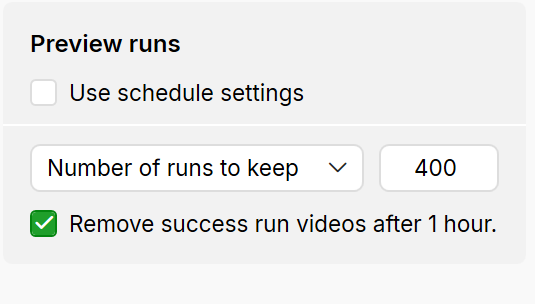
Configuration scope: Team-level. Settings are configured per team, and each team can define its own retention policy.
Temp Folder Policy
This section allows users to define how long assets in the temporary folder should be retained. It helps maintain control over temporary files and optimizes storage. You can set the retention period between 1 and 90 days.
Recommendation: Regularly review and adjust this setting to prevent storing outdated temporary files and maintain optimal disk space.
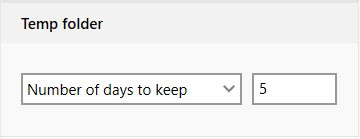
Configuration scope: Global. Settings are configured globally and apply to all teams.
Audit Log
The Audit Log retention policy controls how long Leapwork keeps records of system and user activities, such as configuration changes, flow updates, and administrative actions.
-
Enforce retention policy:
-
Checked: Audit log entries are automatically deleted based on the settings below.
-
Unchecked: No audit log entries are deleted by this global policy.
-
-
Log entries retention period: Defines how long audit log entries are kept before they become eligible for deletion.
You can choose between 30, 60, or 90 days (90 days is the default).
Recommendation: Choose a shorter period (for example, 30 days) in environments with high audit activity to reduce database size, and a longer period (60–90 days) when you need extended traceability for compliance or investigations. -
Daily deletion cap: Sets the maximum number of audit log entries that can be deleted per day (up to 1,000,000).
This prevents large clean‑ups from impacting performance in a single day. -
Batch deletion size: Sets how many audit log entries can be deleted in a single operation (up to 10,000). Smaller batch sizes reduce the impact of each deletion step; larger batches complete clean‑up faster.
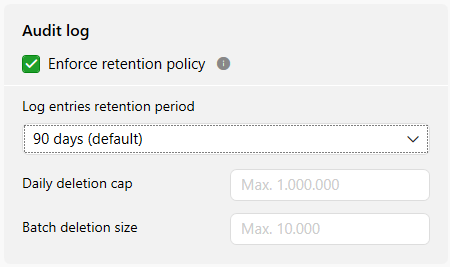
Configuration scope: Global. Settings are configured globally and apply to all teams.
Only items that exceed the configured retention period are eligible for deletion. The actual number of items removed per day will never exceed the Daily deletion cap, even if more items are available. If the configured limits are too low, old data may take several days to be fully cleaned up.
Flow Version History
The Flow Version History retention policy manages how long flow versions are stored as changes are made to automation flows. It helps keep version history under control while preserving enough versions for review and rollback.
-
Enforce retention policy:
-
Checked: Old flow versions are automatically deleted according to the configured limits.
-
Unchecked: No flow versions are deleted by this global policy.
-
-
Flow versions retention period: Defines how long flow versions are kept before they become eligible for deletion.
You can choose between 30, 60, or 90 days (90 days is the default).
Recommendation: Choose a shorter period (for example, 30 days) in environments with high audit activity to reduce database size, and a longer period (60–90 days) when you need extended traceability for compliance or investigations. -
Daily deletion cap: Sets the maximum number of flow versions that can be deleted per day (up to 5,000).
This ensures clean‑up happens gradually instead of removing too many versions at once. -
Batch deletion size: Sets how many flow versions can be deleted in a single operation (up to 1,000).
Smaller batch sizes are safer for busy systems; larger batches speed up the clean‑up process.
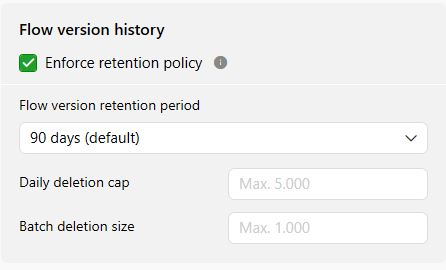
Configuration scope: Global. Settings are configured globally and apply to all teams.
Only items that exceed the configured retention period are eligible for deletion. The actual number of items removed per day will never exceed the Daily deletion cap, even if more items are available. If the configured limits are too low, old data may take several days to be fully cleaned up.