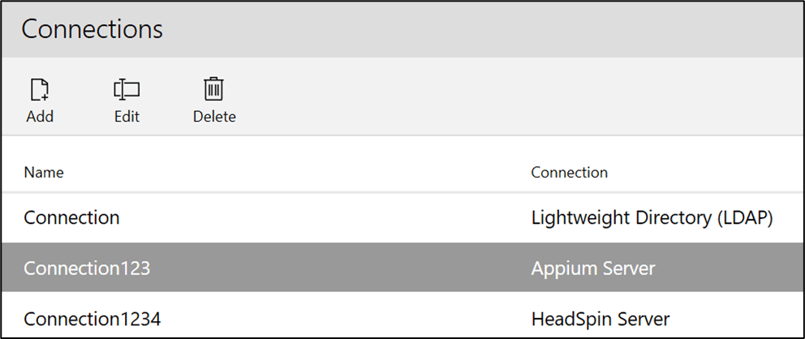
Sauce Labs is a cloud-based testing platform that lets you test mobile apps on Android emulators, iOS simulators, and real iOS and Android devices.
Notes:
-
This feature can be accessed by Leapwork Admin only.
-
To use this integration, you must ensure that the Sauce Labs server is installed on a host that is accessible from Leapwork.
Add Connection
To add a connection:
-
Click the Add button and the following pop-up appears:
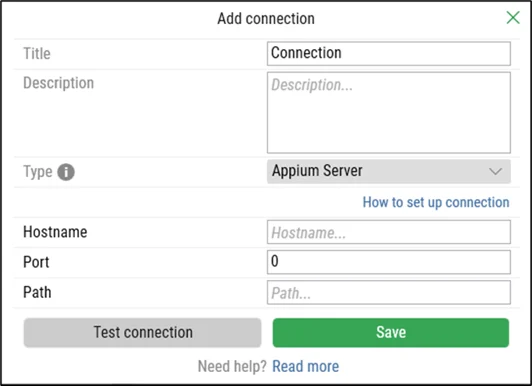
On the Add Connection pop-up window:
-
Enter a unique title in the Title field.
-
Enter the description in the Description field.
-
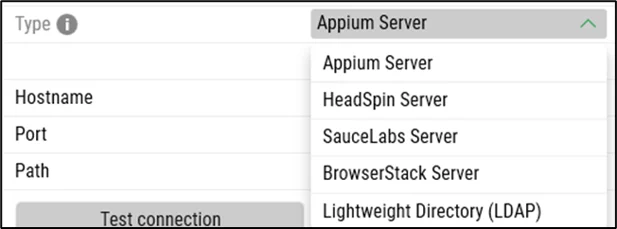
Select the Type drop-down and choose the SauceLabs Server option:
-
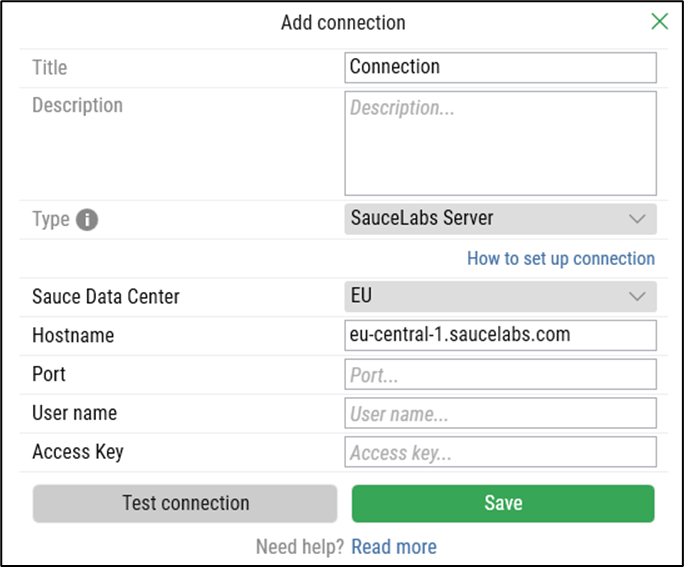
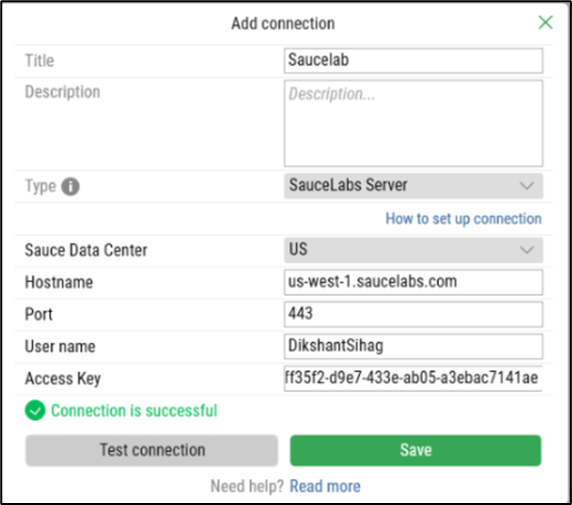
Select SauceLabs Server and the following new fields appear:
-
Select Sauce Data Center from the drop-down list.
-
Enter hostname in the Hostname field.
-
Enter port in the Port field.
-
Enter the user name in User name filed.
-
Enter the access key in the Access Key field.
-
Click the Test connection button to test the connection.
-
Click the Save button to save the details.
Once your connection is saved, a success message confirms it.
To modify or remove the connection, use the Edit or Delete buttons next to the Add button.